> ## Documentation Index
> Fetch the complete documentation index at: https://docs.invopop.com/llms.txt
> Use this file to discover all available pages before exploring further.
# Check your pop consumption
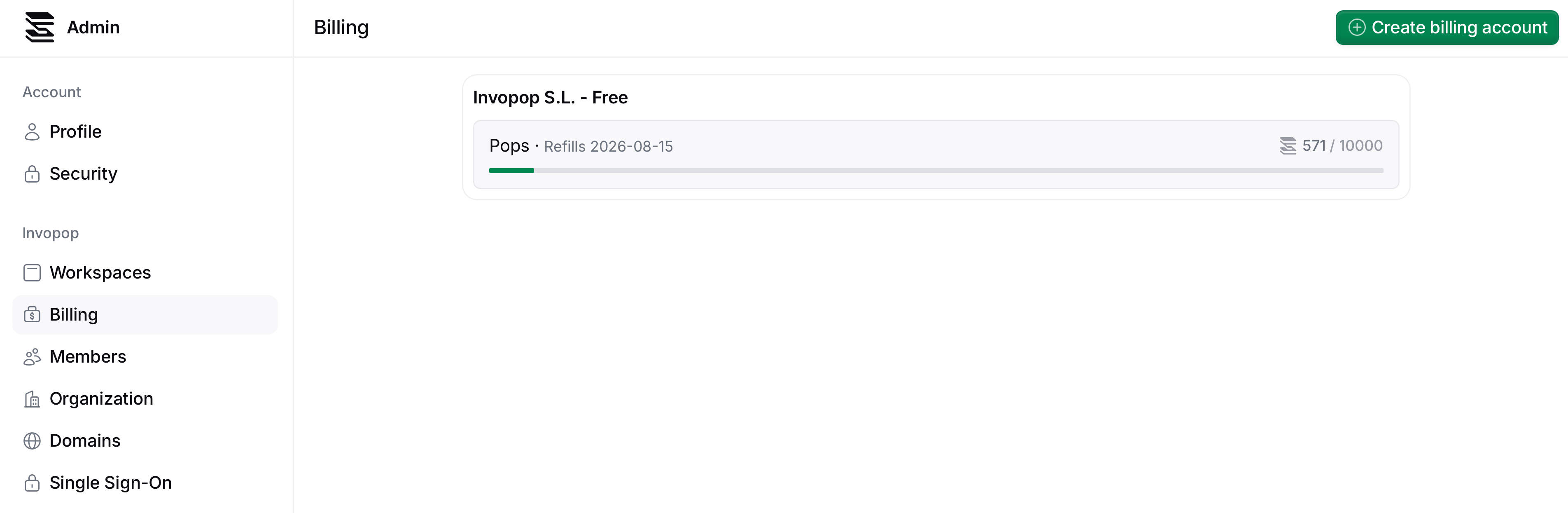
You can track your pop usage by checking the progress bar in your billing account.
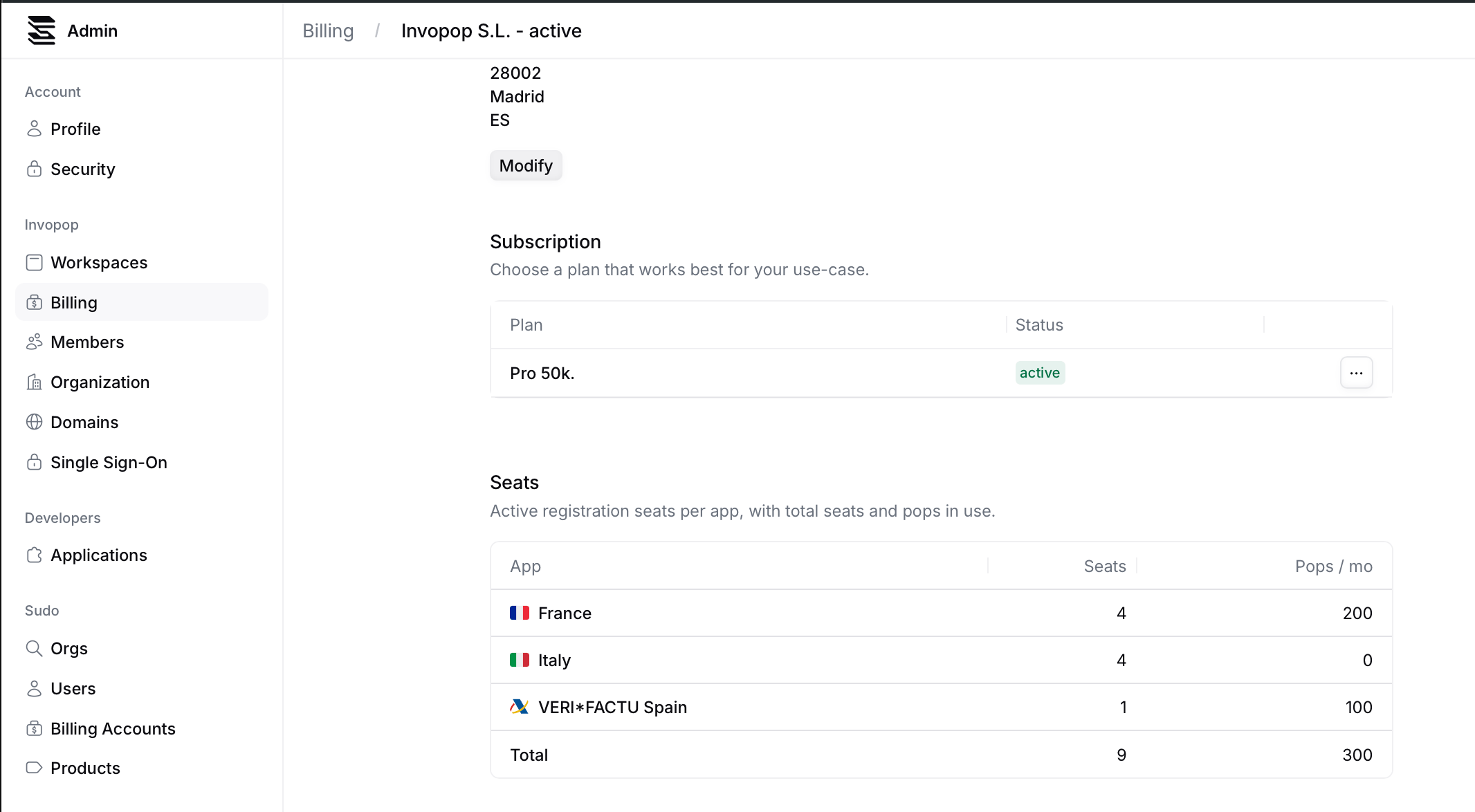
 To see the pop consumption linked to the Seats you are using, click on the live Billing Account. In the **Seats** section you will find the list of apps, the seat count each has, as well as the associated pops.
 ## FAQ
To continue using Invopop you will need to upgrade your plan to the next pop tier.
Technically, a **Seat** corresponds to a Tax ID registered to issue invoices in a specific network. Every account needs at least one.
In practice, most companies need only one seat or a handful. Some, however, use Invopop to provide e-invoicing to their own customers: each customer registered counts as a seat.
Every seat consumes pops from your monthly allowance: 100 pops are deducted the moment you register it, and 100 pops again every 30 days from that registration date for as long as it stays registered.
Get in touch with us at [support@invopop.com](mailto:support@invopop.com), and unless we detect abnormal usage, we will extend your sandbox billing account with additional pops.
## FAQ
To continue using Invopop you will need to upgrade your plan to the next pop tier.
Technically, a **Seat** corresponds to a Tax ID registered to issue invoices in a specific network. Every account needs at least one.
In practice, most companies need only one seat or a handful. Some, however, use Invopop to provide e-invoicing to their own customers: each customer registered counts as a seat.
Every seat consumes pops from your monthly allowance: 100 pops are deducted the moment you register it, and 100 pops again every 30 days from that registration date for as long as it stays registered.
Get in touch with us at [support@invopop.com](mailto:support@invopop.com), and unless we detect abnormal usage, we will extend your sandbox billing account with additional pops.