> ## Documentation Index
> Fetch the complete documentation index at: https://docs.invopop.com/llms.txt
> Use this file to discover all available pages before exploring further.

# Facturae Spain

> Convert GOBL into the Spanish Facturae format

<Tabs>
  <Tab title="Description">
    <Columns cols="2">
      <div class="flex flex-col grow items-center justify-center">
        <Card title="Facturae Spain" icon="https://assets.invopop.com/apps/facturae/icon.svg" href="/guides/es-facturae" horizontal>
          View implementation guide ›
        </Card>
      </div>

      |           |                                |
      | --------- | ------------------------------ |
      | Developer | [Invopop](https://invopop.com) |
      | Category  | Government                     |
      | Scope     | B2G                            |
      | Country   | [Spain](/compliance/spain)     |
    </Columns>

    Invopop's **Facturae app** is designed to support fully compliant conversion from GOBL to Facturae 3.2.2 XML format. The generated XML invoice must be sent through the [FACe](https://face.gob.es/es) platform or SII. Each public body registers its [DIR3 codes](https://administracionelectronica.gob.es/ctt/verPestanaDescargas.htm?idIniciativa=dir3) identifying the accounting office, processing unit, and recipient office.

    **Facturae** is Spain’s official electronic invoicing format, defined and maintained by the Ministerio de Asuntos Económicos y Transformación Digital. It is an XML-based standard designed to ensure legally valid, structured e-invoices for business-to-government (B2G).

    **Key Features**

    1. **Generate Facturae invoices:** according to the Facturae 3.2.2 XML format.
    2. **Adds required XAdES signature:** Facturae invoices must be digitally signed using an XAdES XML signature

    ## FAQ

    Invoicing questions
    <AccordionGroup>
      <Accordion title="Should I send credit notes with positive or negative values?">
        You should send the credit note with the same sign as the original invoice.

        In Spain, unlike other countries, credit notes must be submitted to Hacienda with inverse values. Invopop handles this conversion automatically before transforming the credit note into a "factura rectificativa" (corrective invoice).

        This means you only need to send the credit note following international standards (with same sign as the invoice). Invopop will automatically adapt it when submitting to Hacienda.

        For reference, see the [GOBL Invoice](https://docs.gobl.org/draft-0/bill/invoice) documentation with `type` set to `credit-note`.
      </Accordion>

      <Accordion title="Where do I find Spain-specific GOBL documentation?">
        See the [Spain tax regime in GOBL](https://docs.gobl.org/regimes/es) for tax categories, NIF rules, and Spanish-specific extensions. Subsystem-specific addons live alongside: [`es-verifactu-v1`](https://docs.gobl.org/addons/es-verifactu-v1), [`es-tbai-v1`](https://docs.gobl.org/addons/es-tbai-v1), [`es-facturae-v3`](https://docs.gobl.org/addons/es-facturae-v3).
      </Accordion>

      <Accordion title="Does invopop submit the Facturae XML invoice?">
        <Note>Invopop is working on direct FACe connection as part of the 2027 Crea y Crece mandate</Note>

        You submit the XML directly to the [FACe portal](https://face.gob.es/), Invopop does not submit it for you. FACe is the centralised entry point for all Spanish public administrations, and submission is the supplier's responsibility. You'll need:

        * A valid digital certificate (FNMT or DNIe).
        * The XML file Invopop generated (download it from the workflow output).
        * The three DIR3 administrative centres correctly embedded in the invoice — `Oficina Contable` (01), `Órgano Gestor` (02), `Unidad Tramitadora` (03). If these are wrong, FACe will reject the invoice. The receiving public body publishes their codes in the [DIR3 directory](https://directorio3.gob.es/).

        Submission options:

        * **FACe web portal**: manual upload, fine for low volumes.
        * **A registered FACe-compatible third party** (gestoría, ERP plugin, etc.).
      </Accordion>

      <Accordion title="How do I verify that the generated XML is valid?">
        The generated XML will be added to your silo entry as an attachment under the "files" tab with the file name `facturae.xml`. Upload this file to [FACe's online validator](https://face.gob.es/es/facturas/validar-visualizar-facturas) to verify its validity.
      </Accordion>

      <Accordion title="Is the Facturae invoice reported to the tax authority?">
        No, our Facturae app converts from GOBL to the Facturae format. You must report it to the AEAT through your ERP or through the [FACe](https://face.gob.es/es) platform.
      </Accordion>
    </AccordionGroup>

    Registering supplier questions

    <AccordionGroup>
      <Accordion title="What are the most common reasons for failing supplier approval?">
        We reject agreements when:

        * The uploaded document is not signed (they upload the unsigned template).
        * Users upload a handwritten signature without and ID.
        * The electronic signature is made with an FNMT certificate.
        * The agreement is missing a date or location.
        * The name is entered as an email address.

        The job will state the reason for rejection.
      </Accordion>

      <Accordion title="What happens if a supplier does not complete their registration within the allotted wait time?">
        A KO will be triggered and the supplier will be labelled with the `Error` state. We currently recommend sending a reminder to the supplier through a webhook.

        The registration link will not expire and the entity will still be able to upload their registration documents which will be validated. Should you choose to run this workflow again using this supplier, the supplier will be accepted or rejected immediately because the required documentation has already been provided and validated.
      </Accordion>

      <Accordion title="What happens if a supplier validation is rejected?">
        If the uploaded agreement documents were rejected, a KO will be triggered and the supplier will be labelled with the `Error` state. We currently recommend sending a notification to the supplier through a webhook within the **Error Handling** section.

        Afterwards, if you wish to re-register the supplier with new documents, you must:

        1. Unregister the supplier using the **Unregister Supplier workflow**.
        2. Re-run the Register supplier workflow.

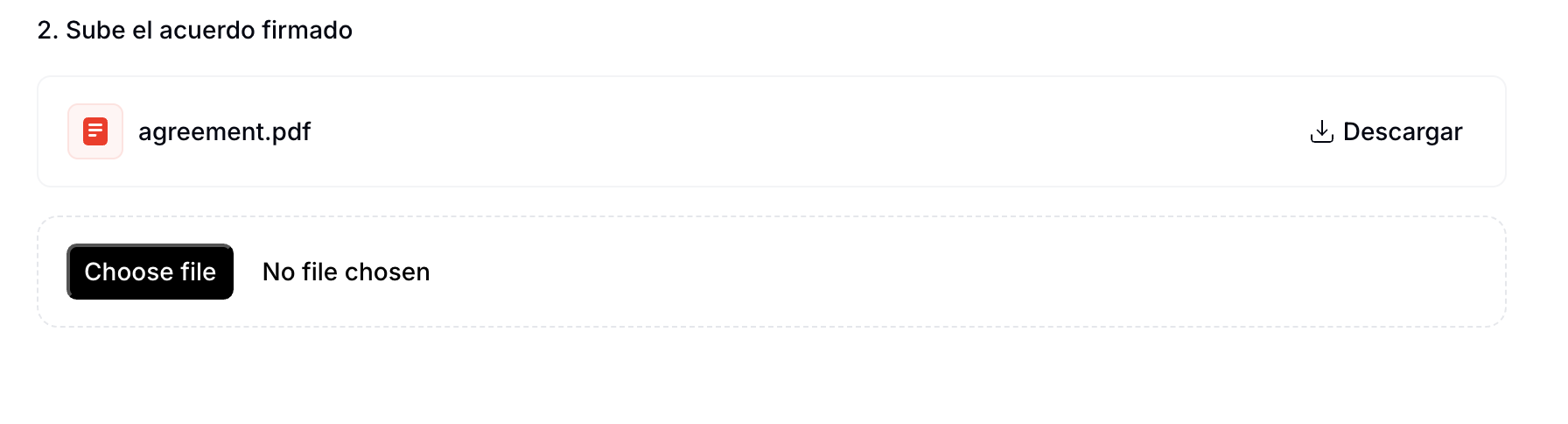
        This will restart the entire registration process. When uploading documents, the previously submitted agreement will appear selected by default. Simply choose a new file and click `Continue` to override the old one. See the image below for reference:

        <Frame caption="Overriding the previously submitted agreement">
          <img width="600" src="https://mintcdn.com/invopop/fWniCD0icTwRKXxR/assets/guides/es-verifactu-update-agreement.png?fit=max&auto=format&n=fWniCD0icTwRKXxR&q=85&s=a20bb8dd02df632d114e0519f4d34899" alt="Overriding the previously submitted agreement" data-path="assets/guides/es-verifactu-update-agreement.png" />
        </Frame>
      </Accordion>

      <Accordion title="What is the minimum information required to register a supplier?">
        In order to complete the representation agreement you will need to provide the following information:

        **Company**

        1. Name
        2. NIF
        3. Address

        **Legal representative**

        1. Full name
        2. Government ID type and number
        3. Address

        ```json Spain supplier example theme={"system"}
        {
          "$schema": "https://gobl.org/draft-0/org/party",
          "name": "Invopop S.L.",
          "tax_id": {
            "country": "ES",
            "code": "B85905495"
          },
            "people": [
                {
                    "name": {
                        "given": "Juan",
                        "surname": "Pérez González"
                    },
                    "identities": [
                        {
                            "key": "national",
                            "code": "123456789A"
                        }
                    ],
                    "addresses": [
                        {
                            "num": "10",
                            "street": "Calle Ejemplo",
                            "locality": "Madrid",
                            "region": "Madrid",
                            "code": "28020",
                            "country": "ES"
                        }
                    ]
                }
            ],
          "addresses": [
            {
              "num": "42",
              "street": "Calle Pradillo",
              "locality": "Madrid",
              "region": "Madrid",
              "code": "28002",
              "country": "ES"
            }
          ],
          "emails": [
            {
              "addr": "billing@example.com"
            }
          ]
        }
        ```

        If the entity is an self-employed individual (*autónomo*), only the information requested in in the **Legal representative** section is required.

        ```json Spain autónomo supplier example theme={"system"}
        {
          "$schema": "https://gobl.org/draft-0/org/party",
          "name": "Juan Pérez González",
          "tax_id": {
            "country": "ES",
            "code": "B85905495"
          },
          "addresses": [
            {
              "num": "42",
              "street": "Calle Pradillo",
              "locality": "Madrid",
              "region": "Madrid",
              "code": "28002",
              "country": "ES"
            }
          ],
          "emails": [
            {
              "addr": "autonomo@example.com"
            }
          ]
        }
        ```
      </Accordion>

      <Accordion title="What methods are available to sign the PDF supplier agreements?">
        The supplier can add their electronic signature to the PDF document ([instructions](https://helpx.adobe.com/acrobat/using/signing-pdfs.html)), or sign with a handwritten signature (we recommend using [Adobe's online service](https://www.adobe.com/acrobat/online/sign-pdf.html).
      </Accordion>

      <Accordion title="What is the file size limit for the documents provided in the supplier registration flow">
        Individual documents are limited to a maximum size of 10MB. Uploads exceeding this size will result in an error.
      </Accordion>

      <Accordion title="How do I register a supplier with Facturae?">
        Facturae itself has no central registration — the supplier just needs to enrol on FACe (or the relevant regional portal) using their digital certificate. Invopop signs the XML; submission to FACe is currently manual via the supplier's account.
      </Accordion>

      <Accordion title="What certificates does Facturae require to authenticate a supplier?">
        Facturae requires an XAdES signature on the XML using a qualified certificate (FNMT *persona jurídica*, Cl\@ve, ACCV, etc.). Invopop signs with its own certificate by default; bring-your-own is supported on request.
      </Accordion>
    </AccordionGroup>

    More Spain FAQs available in our [Spain FAQ](/faq/spain) section
  </Tab>

  <Tab title="Actions">
    The following workflow action will be available once you enable this app:

    <Card title="Generate Facturae" icon="https://assets.invopop.com/apps/facturae/icon.svg" horizontal>
      <div class="pop-count"><Icon icon="https://assets.invopop.com/icons/pops.svg" /> 1</div>
      Convert GOBL invoices into Spanish FacturaE XML files.
    </Card>
  </Tab>

  <Tab title="Documents">
    <AccordionGroup>
      <Accordion title="Facturae B2G Invoice">
        ```json Facturae B2G Invoice theme={"system"}

        {
        	"$schema": "https://gobl.org/draft-0/bill/invoice",
        	"$regime": "ES",
        	"$addons": [
        		"es-facturae-v3"
        	],
        	"uuid": "01922b1e-e288-7ab9-82f3-0c8c8c7956bc",
        	"type": "standard",
        	"code": "TEST01001F",
        	"issue_date": "2021-12-08",
        	"currency": "EUR",
        	"tax": {
        		"ext": {
        			"es-facturae-doc-type": "FC",
        			"es-facturae-invoice-class": "OO"
        		}
        	},
        	"supplier": {
        		"name": "Hypeprop Sl",
        		"alias": "Hypeprop",
        		"tax_id": {
        			"country": "ES",
        			"code": "B23103039"
        		},
        		"people": [
        			{
        				"name": {
        					"given": "Paloma",
        					"surname": "Araujo"
        				}
        			}
        		],
        		"addresses": [
        			{
        				"num": "74",
        				"street": "Campo Real",
        				"locality": "Torrejón De La Calzada",
        				"region": "Madrid",
        				"code": "28023",
        				"country": "ES"
        			}
        		],
        		"emails": [
        			{
        				"addr": "rxazy27xfc@iname.com"
        			}
        		],
        		"telephones": [
        			{
        				"label": "office",
        				"num": "+34910730028"
        			}
        		]
        	},
        	"customer": {
        		"name": "Moniward Sl",
        		"tax_id": {
        			"country": "ES",
        			"code": "B77436020"
        		},
        		"addresses": [
        			{
        				"num": "35",
        				"street": "Plaza Horno",
        				"locality": "Nombela",
        				"region": "Toledo",
        				"code": "45083",
        				"country": "ES"
        			}
        		],
        		"emails": [
        			{
        				"addr": "bfn25xf3p@lycos.co.uk"
        			}
        		]
        	},
        	"lines": [
        		{
        			"i": 1,
        			"quantity": "20",
        			"item": {
        				"name": "Operations and development - day rate",
        				"price": "200.00"
        			},
        			"sum": "4000.00",
        			"taxes": [
        				{
        					"cat": "VAT",
        					"rate": "standard",
        					"percent": "21.0%"
        				}
        			],
        			"total": "4000.00"
        		},
        		{
        			"i": 2,
        			"quantity": "2",
        			"item": {
        				"name": "Additional Overtime",
        				"price": "101.00"
        			},
        			"sum": "202.00",
        			"taxes": [
        				{
        					"cat": "VAT",
        					"rate": "standard",
        					"percent": "21.0%"
        				}
        			],
        			"total": "202.00"
        		}
        	],
        	"payment": {
        		"terms": {
        			"key": "due-date",
        			"due_dates": [
        				{
        					"date": "2021-12-30",
        					"amount": "5084.42",
        					"percent": "100%"
        				}
        			],
        			"notes": "Some kind of payment term note"
        		},
        		"instructions": {
        			"key": "credit-transfer",
        			"credit_transfer": [
        				{
        					"iban": "ES25 0188 2570 7185 4470 4761",
        					"name": "Bankrandom"
        				}
        			]
        		}
        	},
        	"totals": {
        		"sum": "4202.00",
        		"total": "4202.00",
        		"taxes": {
        			"categories": [
        				{
        					"code": "VAT",
        					"rates": [
        						{
        							"key": "standard",
        							"base": "4202.00",
        							"percent": "21.0%",
        							"amount": "882.42"
        						}
        					],
        					"amount": "882.42"
        				}
        			],
        			"sum": "882.42"
        		},
        		"tax": "882.42",
        		"total_with_tax": "5084.42",
        		"payable": "5084.42"
        	},
        	"notes": [
        		{
        			"key": "general",
        			"text": "Thank you for your custom!"
        		}
        	]
        }
        ```
      </Accordion>

      <Accordion title="Facturae Credit Note">
        ```json Facturae Credit Note theme={"system"}
        {
        	"$schema": "https://gobl.org/draft-0/bill/invoice",
        	"$regime": "ES",
        	"$addons": [
        		"es-facturae-v3"
        	],
        	"uuid": "01922b1e-e283-7860-96aa-c57af9ffe67b",
        	"type": "credit-note",
        	"code": "TEST01001R",
        	"issue_date": "2021-12-08",
        	"currency": "EUR",
        	"preceding": [
        		{
        			"type": "standard",
        			"issue_date": "2021-12-08",
        			"code": "TEST01001F",
        			"ext": {
        				"es-facturae-correction": "01"
        			}
        		}
        	],
        	"tax": {
        		"ext": {
        			"es-facturae-doc-type": "FC",
        			"es-facturae-invoice-class": "OR"
        		}
        	},
        	"supplier": {
        		"name": "Hypeprop Sl",
        		"alias": "Hypeprop",
        		"tax_id": {
        			"country": "ES",
        			"code": "B23103039"
        		},
        		"people": [
        			{
        				"name": {
        					"given": "Paloma",
        					"surname": "Araujo"
        				}
        			}
        		],
        		"addresses": [
        			{
        				"num": "74",
        				"street": "Campo Real",
        				"locality": "Torrejón De La Calzada",
        				"region": "Madrid",
        				"code": "28023",
        				"country": "ES"
        			}
        		],
        		"emails": [
        			{
        				"addr": "rxazy27xfc@iname.com"
        			}
        		],
        		"telephones": [
        			{
        				"label": "office",
        				"num": "+34910730028"
        			}
        		]
        	},
        	"customer": {
        		"name": "Moniward Sl",
        		"tax_id": {
        			"country": "ES",
        			"code": "B77436020"
        		},
        		"addresses": [
        			{
        				"num": "35",
        				"street": "Plaza Horno",
        				"locality": "Nombela",
        				"region": "Toledo",
        				"code": "45083",
        				"country": "ES"
        			}
        		],
        		"emails": [
        			{
        				"addr": "bfn25xf3p@lycos.co.uk"
        			}
        		]
        	},
        	"lines": [
        		{
        			"i": 1,
        			"quantity": "20",
        			"item": {
        				"name": "Operations and development - day rate",
        				"price": "200.00"
        			},
        			"sum": "4000.00",
        			"taxes": [
        				{
        					"cat": "VAT",
        					"rate": "standard",
        					"percent": "21.0%"
        				}
        			],
        			"total": "4000.00"
        		},
        		{
        			"i": 2,
        			"quantity": "2",
        			"item": {
        				"name": "Additional Overtime",
        				"price": "101.00"
        			},
        			"sum": "202.00",
        			"taxes": [
        				{
        					"cat": "VAT",
        					"rate": "standard",
        					"percent": "21.0%"
        				}
        			],
        			"total": "202.00"
        		}
        	],
        	"totals": {
        		"sum": "4202.00",
        		"total": "4202.00",
        		"taxes": {
        			"categories": [
        				{
        					"code": "VAT",
        					"rates": [
        						{
        							"key": "standard",
        							"base": "4202.00",
        							"percent": "21.0%",
        							"amount": "882.42"
        						}
        					],
        					"amount": "882.42"
        				}
        			],
        			"sum": "882.42"
        		},
        		"tax": "882.42",
        		"total_with_tax": "5084.42",
        		"payable": "5084.42"
        	},
        	"notes": [
        		{
        			"key": "general",
        			"text": "Thank you for your custom!"
        		}
        	]
        }
        ```
      </Accordion>
    </AccordionGroup>

    Copy and paste these documents into the [GOBL builder](https://build.gobl.org) in order to preview and verify them.
  </Tab>
</Tabs>

***

<AccordionGroup>
  <Accordion title="🇪🇸 Invopop resources for Spain">
    |            |                                                                                                                                                                                                                                                                                                                                                                                                                                                                                                     |
    | ---------- | --------------------------------------------------------------------------------------------------------------------------------------------------------------------------------------------------------------------------------------------------------------------------------------------------------------------------------------------------------------------------------------------------------------------------------------------------------------------------------------------------- |
    | Compliance | <Icon icon="https://assets.invopop.com/flags/es.svg" /> [Invoicing compliance in Spain](/compliance/spain)<br /> <Icon icon="timeline" /> [Compliance timeline](/timelines/spain)                                                                                                                                                                                                                                                                                                                   |
    | Apps       | <Icon icon="https://assets.invopop.com/apps/gov-es/icon.svg" /> [Spain](/apps/spain)<br /> <Icon icon="https://assets.invopop.com/apps/verifactu/icon.svg" /> [VERI\*FACTU Spain](/apps/verifactu-spain)<br /><Icon icon="https://assets.invopop.com/apps/ticketbai/icon.svg" /> [TicketBAI Spain](/apps/ticketbai-spain)                                                                                                                                                                           |
    | Guides     | <Icon icon="book" /> [Facturae Guide](/guides/es-facturae)<br /><Icon icon="book" /> [VERI\*FACTU Invoicing Guide](/guides/es-verifactu)<br /><Icon icon="book" /> [VERI\*FACTU Supplier Onboarding](/guides/es-verifactu-supplier)<br /><Icon icon="book" /> [SII Invoicing Guide](/guides/es-sii)<br /><Icon icon="book" /> [SII Supplier Onboarding](/guides/es-sii-supplier)<br /><Icon icon="book" /> [TicketBAI Guide](/guides/es-ticketbai)                                                  |
    | FAQ        | <Icon icon="square-question" /> [Spain FAQ](/faq/spain)                                                                                                                                                                                                                                                                                                                                                                                                                                             |
    | GOBL       | <Icon icon="https://assets.invopop.com/icons/gobl.svg" />  [Spain Tax Regime](https://docs.gobl.org/regimes/es)<br /> <Icon icon="https://assets.invopop.com/icons/gobl.svg" /> [VERI\*FACTU Addon](https://docs.gobl.org/addons/es-verifactu-v1)<br /> <Icon icon="https://assets.invopop.com/icons/gobl.svg" /> [Facturae Addon](https://docs.gobl.org/addons/es-facturae-v3)<br /> <Icon icon="https://assets.invopop.com/icons/gobl.svg" /> [SII Addon](https://docs.gobl.org/addons/es-sii-v1) |
    | GitHub     | <Icon icon="github" /> [gobl.facturae](https://github.com/invopop/gobl.facturae)<br /><Icon icon="github" /> [gobl.verifactu](https://github.com/invopop/gobl.verifactu)<br /> <Icon icon="github" /> [gobl.ticketbai](https://github.com/invopop/gobl.ticketbai)                                                                                                                                                                                                                                   |
  </Accordion>
</AccordionGroup>

<Card title="Participate in our community" icon="forumbee" href="https://community.invopop.com" arrow="true" horizontal>
  Ask and answer questions about Facturae Spain App →
</Card>
