> ## Documentation Index
> Fetch the complete documentation index at: https://docs.invopop.com/llms.txt
> Use this file to discover all available pages before exploring further.
# Replicate documents
> Replicate documents through the console
Document replication creates a new document based on an existing one. This is useful when you need to create similar documents without manually re-entering all the information.
When you replicate a document, the system creates a copy with:
* A new unique identifier (UUID)
* For invoices: the code removed and the issue date set to the current date
* All other data from the source document preserved
You can then modify the replicated document as needed before saving it.
## When to replicate documents
Replication saves time when creating documents that share most of their content with existing documents. Here are common scenarios where replication is helpful:
* **Recurring services with variable quantities.**
For example, a maintenance contract where the base fee is identical each month, but hours or consumables change slightly.
* **Project-based billing with milestone repetitions.**
When each phase of a project shares the same structure (same rate table, same tax logic), but the milestone description or amount evolves.
* **Rebilling expenses.**
If you regularly pass through similar categories of expenses to a client—travel, software usage, subcontractors—reusing the previous expense invoice ensures consistent categorization and formatting.
* **Seasonal or cyclical orders.**
Clients who reorder the same products periodically (quarterly restocking, annual service packages). The base invoice mirrors prior cycles; only dates or quantities shift.
* **Template for similar customers.**
If several clients receive a comparable service package with minor price or detail differences, starting from a proven invoice avoids rebuilding the structure from scratch.
* **Ensuring continuity in complex tax setups.**
In scenarios with multiple tax components or regime-specific rules, copying a previously validated invoice guarantees all those elements stay correct.
## How to replicate a document
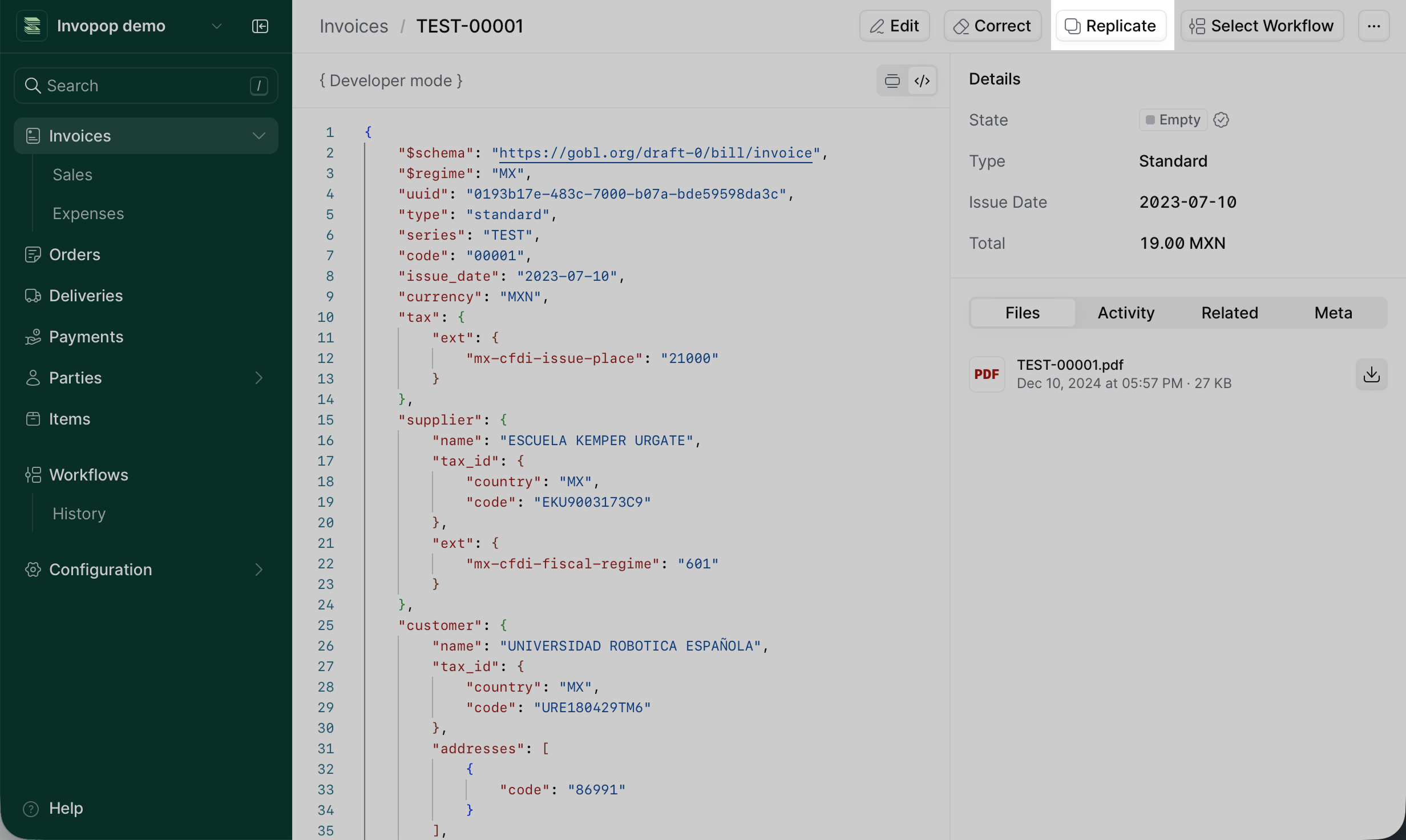 1. Open the document you want to replicate
2. Click the **Replicate** button in the document actions menu
3. The system creates a new document with the same content
4. Edit the replicated document as needed
5. Save the new document
The replicated document is independent from the source document. Changes you make to one do not affect the other.
## After replication
Once you've replicated a document:
1. **Review the content** to make sure all relevant information from the source document is present.
2. **Update variable fields** such as quantities, dates, amounts, or other fields that need to change.
3. **Verify customer details** to make sure addresses, names, and tax IDs are correct.
4. **Build the document** to validate and enrich the document with calculated data.
5. **Save** the document or send it through your workflow.
Use replication to maintain consistency across similar documents while reducing manual data entry and the risk of errors.
## Related resources
| | |
| ------------- | -------------------------------------------------------------------------------------------------------------------------------------------------------------------------------------- |
| API Reference | [Create an entry (POST)](/api-ref/silo/entries/create-an-entry-post)
1. Open the document you want to replicate
2. Click the **Replicate** button in the document actions menu
3. The system creates a new document with the same content
4. Edit the replicated document as needed
5. Save the new document
The replicated document is independent from the source document. Changes you make to one do not affect the other.
## After replication
Once you've replicated a document:
1. **Review the content** to make sure all relevant information from the source document is present.
2. **Update variable fields** such as quantities, dates, amounts, or other fields that need to change.
3. **Verify customer details** to make sure addresses, names, and tax IDs are correct.
4. **Build the document** to validate and enrich the document with calculated data.
5. **Save** the document or send it through your workflow.
Use replication to maintain consistency across similar documents while reducing manual data entry and the risk of errors.
## Related resources
| | |
| ------------- | -------------------------------------------------------------------------------------------------------------------------------------------------------------------------------------- |
| API Reference | [Create an entry (POST)](/api-ref/silo/entries/create-an-entry-post)
[Create an entry (PUT)](/api-ref/silo/entries/create-an-entry-put) |