> ## Documentation Index
> Fetch the complete documentation index at: https://docs.invopop.com/llms.txt
> Use this file to discover all available pages before exploring further.
# Search
> Search documents
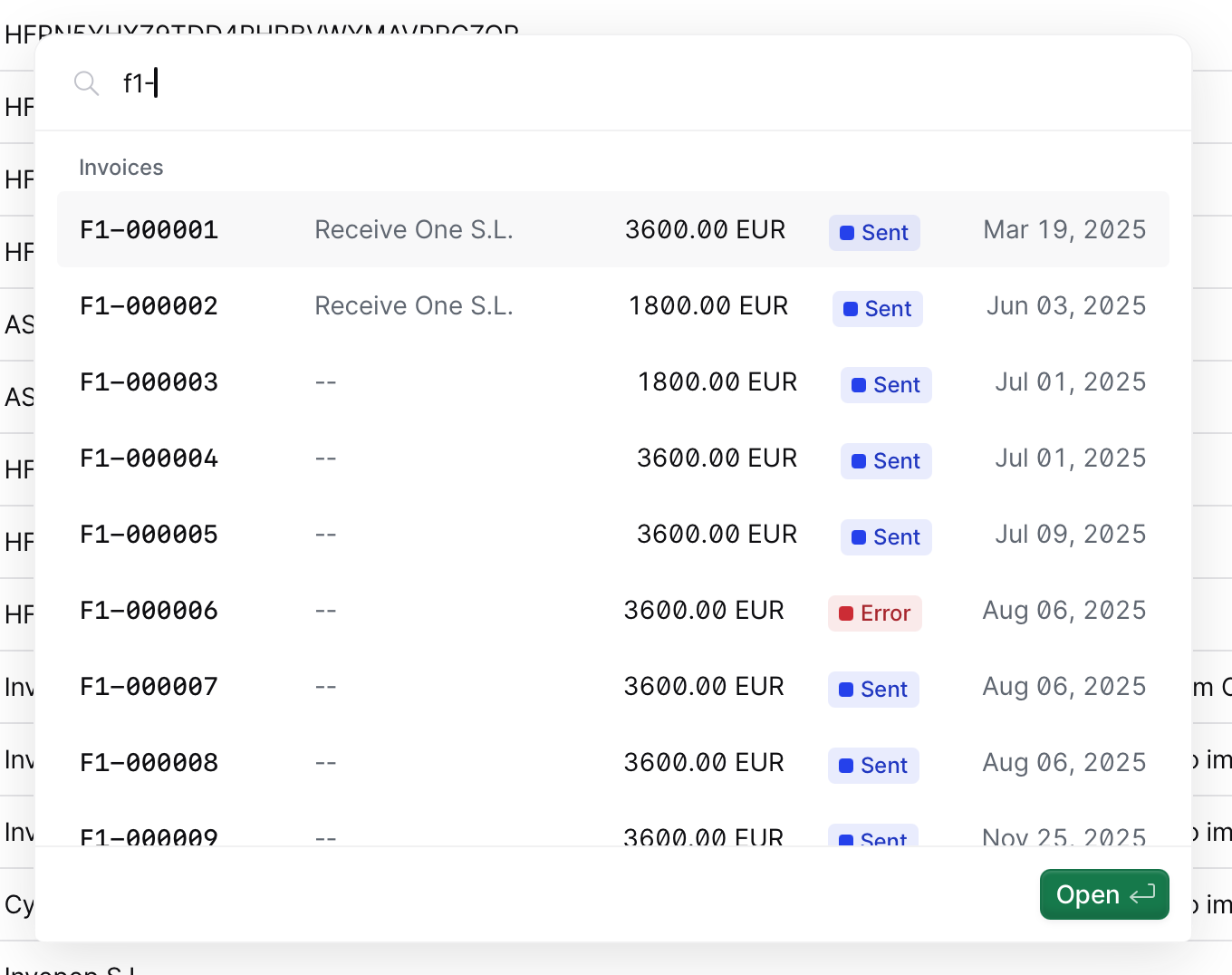 You can search for documents in your workspace clicking on the search field, or by typing / (slash) anywhere within the console. Doing this will bring up the search results panel.
## Search results
The **Search Results** command-based search modal displays all documents that match the search. When a term is entered into the search bar, the system retrieves and lists relevant documents. The interface is designed keyboard-friendly, so you can use the ▼ and ▲ arrow keys to navigate through the results and press Enter to open the selected document.
## Related resources
| | |
| ------------- | --------------------------------------------------------------------------- |
| API Reference | [Search entries](/api-ref/silo/entries/search-entries) |
You can search for documents in your workspace clicking on the search field, or by typing / (slash) anywhere within the console. Doing this will bring up the search results panel.
## Search results
The **Search Results** command-based search modal displays all documents that match the search. When a term is entered into the search bar, the system retrieves and lists relevant documents. The interface is designed keyboard-friendly, so you can use the ▼ and ▲ arrow keys to navigate through the results and press Enter to open the selected document.
## Related resources
| | |
| ------------- | --------------------------------------------------------------------------- |
| API Reference | [Search entries](/api-ref/silo/entries/search-entries) |