> ## Documentation Index
> Fetch the complete documentation index at: https://docs.invopop.com/llms.txt
> Use this file to discover all available pages before exploring further.
# Workflow conditions
> Configure a workflow in Invopop to process documents.
Conditions create blocks that execute when a given *status* and *code* (optional) match the response of a workflow step. There are two status signals (`OK` and `KO`) plus `Any`, which matches regardless of the status.
* **OK**: when a workflow step completes as expected.
* **KO**: when there was an error in the step's execution.
* **Any**: will match both `OK` and `KO`.
Codes are generally text or numbers returned by providers. Only some steps will return codes along with their status signals. For example, the *Send VERI\*FACTU (Spain)* step will return the error code as [specified by the AEAT](https://prewww2.aeat.es/static_files/common/internet/dep/aplicaciones/es/aeat/tikeV1.0/cont/ws/errores.properties) along with the `KO` status signal. Since GOBL already handles many of the validations in tax authorities lists, we recommend only implementing conditions which happen in your workflow with certain regularity and which should be handled automatically.
As an example, we will handle the case where a supplier is not registered in the taxpayer census by the AEAT:
On the desired step, click on the menu button `...` and select **Add condition**.
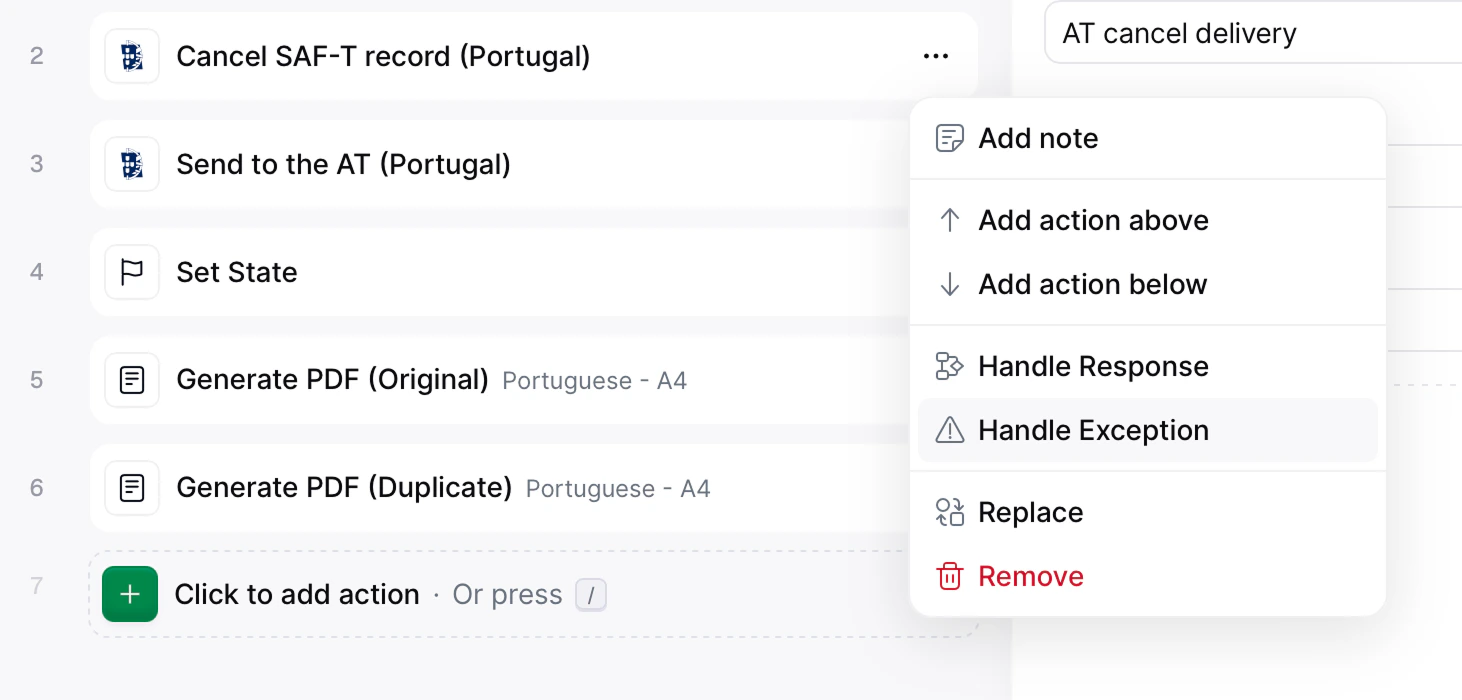
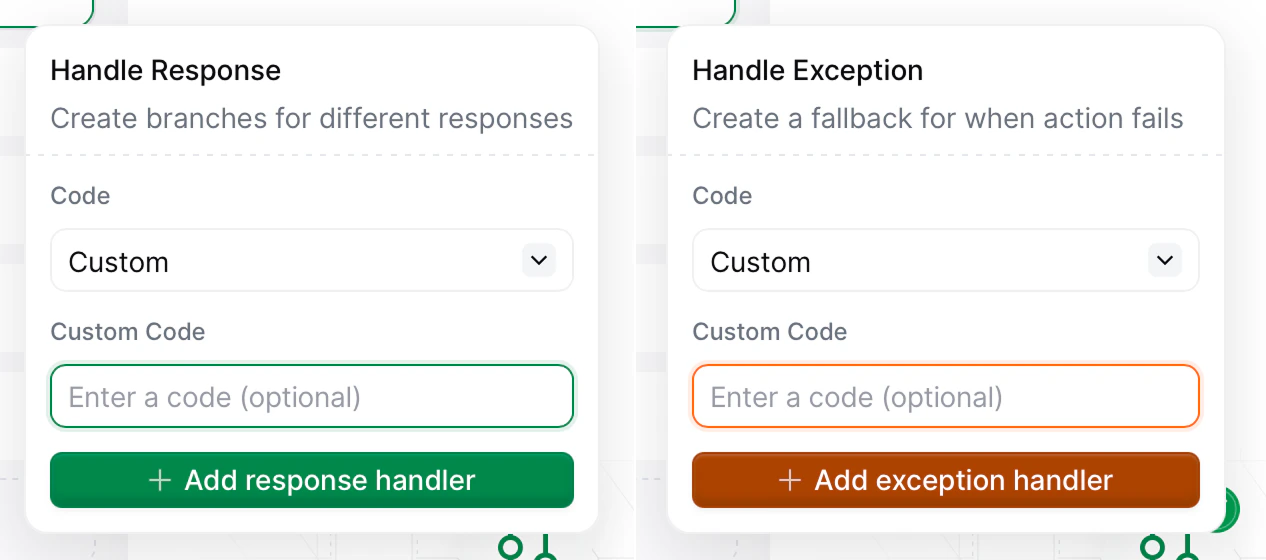 Configure the matching conditions in the popover:
1. **Status**: `KO`.
2. **Code**: `4107` (Tax ID not identified in the taxpayer census).
3. **End workflow here**: `✔` (the workflow will stop executing after this block).
Configure the matching conditions in the popover:
1. **Status**: `KO`.
2. **Code**: `4107` (Tax ID not identified in the taxpayer census).
3. **End workflow here**: `✔` (the workflow will stop executing after this block).
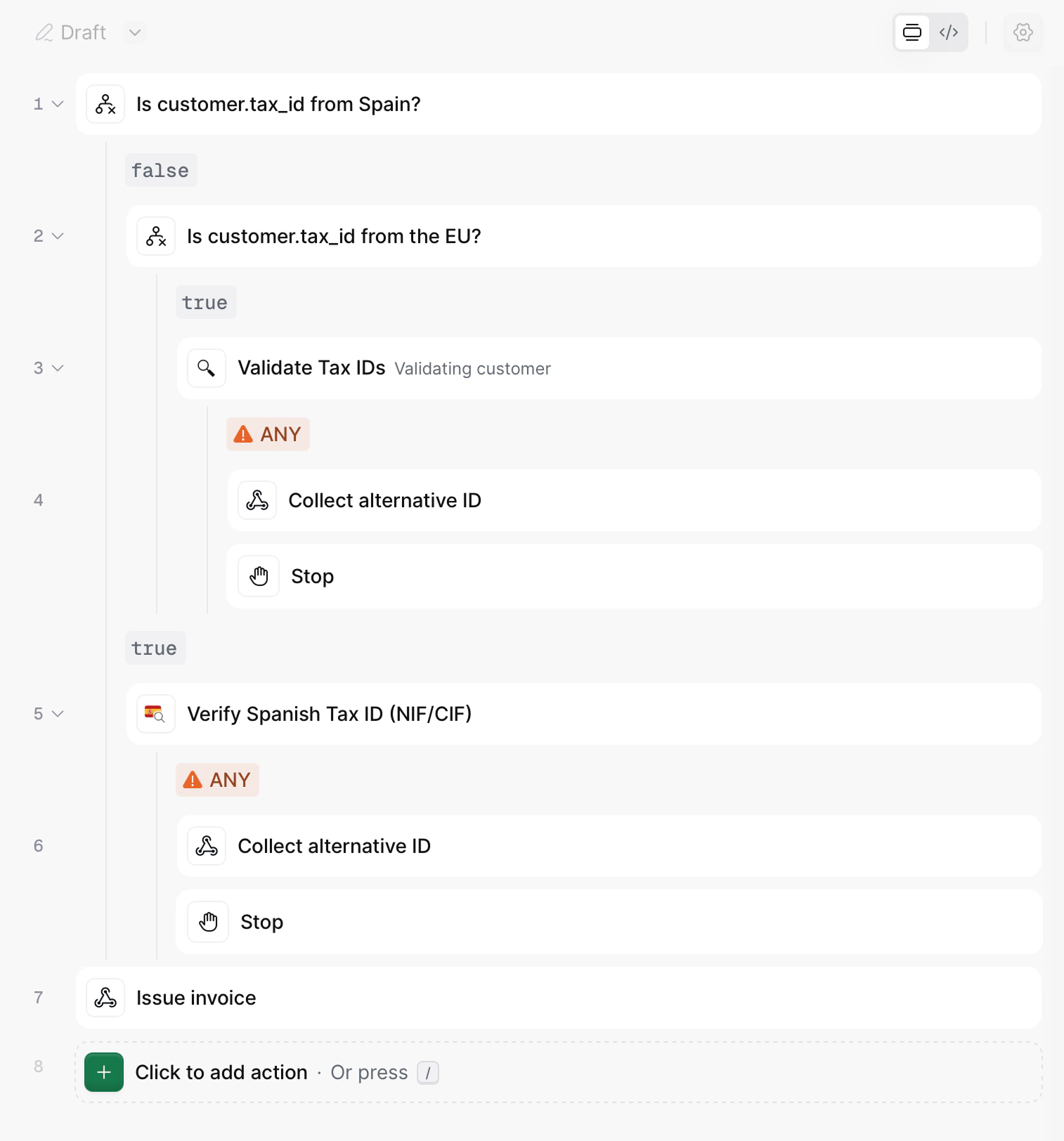 Click on "Select an action" and handle the condition as you wish. In this case, we are choosing to send a Slack message (e.g. for manual intervention).
## Related resources
| | |
| -------------- | ---------------------------------------------------------------------------------------------------------------------------------------------------------------------------------------------------------------------------------------------------------------------------------- |
| API Reference | [Create a workflow](/api-ref/transform/workflows/create-a-workflow)
Click on "Select an action" and handle the condition as you wish. In this case, we are choosing to send a Slack message (e.g. for manual intervention).
## Related resources
| | |
| -------------- | ---------------------------------------------------------------------------------------------------------------------------------------------------------------------------------------------------------------------------------------------------------------------------------- |
| API Reference | [Create a workflow](/api-ref/transform/workflows/create-a-workflow)
[Update a workflow](/api-ref/transform/workflows/update-a-workflow)
[Fetch a workflow](/api-ref/transform/workflows/fetch-a-workflow) |
| Related Guides | [Workflows Guide](/guides/workflows) |