> ## Documentation Index
> Fetch the complete documentation index at: https://docs.invopop.com/llms.txt
> Use this file to discover all available pages before exploring further.
# Webhooks Guide
> Integrate your system with Invopop through webhooks.
## Introduction
This guide will show you how to configure the **Send Webhook** workflow step to send HTTP requests automatically from your workflows. You can use webhooks to notify external systems, trigger automations, or synchronize data with third-party APIs whenever an event occurs.
Included in this guide are the configuration options for the "Send Webhook" workflow step, a sample response with an explanation for each field, and the procedure for retries.
## Setup and configuration
Add the **Send Webhook** step to your workflow by searching or locating it in the actions list under the **Notify** section.
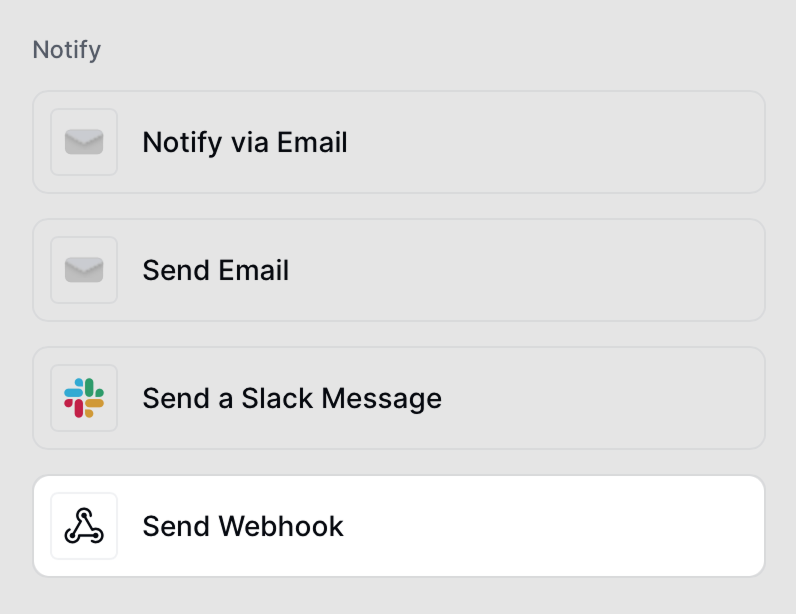 Then configure your Webhook:
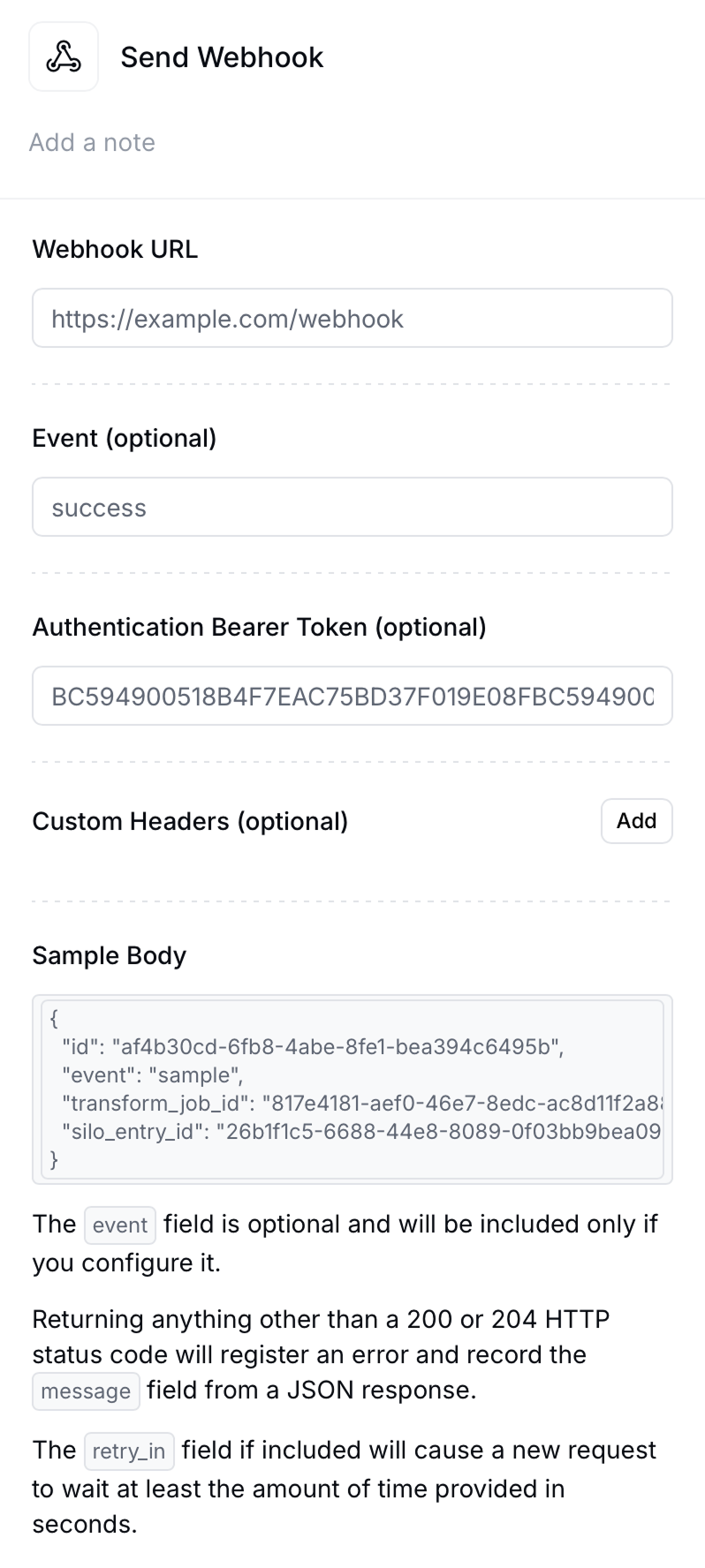 **Webhook URL**
The endpoint that will receive the `POST` request.
**Event (optional)**
Specify a custom event name such as `success`, `error`, or `invoice_sent`. This will appear under the `event` field in the JSON payload.
**Authentication Bearer Token (optional)**
If your endpoint requires authorization, include a token here. The request will include a header: `Authorization: Bearer `. Invopop does not recommend whitelisting IPs for security as the static IP is likely to change in the future.
Never expose sensitive credentials directly in the webhook URL. Always use Bearer Tokens or custom headers for secure authentication.
**Custom Headers (optional)**
Add one or more HTTP headers. This is useful for services that require API keys, content types, or verification signatures.
**Sample Body**
Below is an example of the JSON payload that will be sent:
```json theme={"system"}
{
"id": "",
"event": "",
"transform_job_id": "",
"silo_entry_id": "",
"owner_id": "",
"key": "",
"args": {},
"faults": []
}
```
* `id` the id of the webhook event.
* `event` custom event name set up in the step (if any).
* `transform_job_id` the id of a job run through the [Transform Job endpoint](https://docs.invopop.com/api-ref/transform/jobs/fetch-a-job-by-key)
* `silo_entry_id` the id of the [silo entry](https://docs.invopop.com/api-ref/silo/entries/fetch-an-entry)
* `key` the job's [key](https://docs.invopop.com/api-ref/transform/jobs/create-a-job-put#body-key) to ensure [idempotency](https://docs.invopop.com/api-ref/idempotency).
* `args` certain workflow steps can add data to the args field which is then made available to subsequent steps and to webhook payloads.
* `faults` array of [fault](https://docs.invopop.com/api-ref/transform/jobs/fetch-a-job#response-faults) objects that represent errors that occurred during the processing of the job.
The webhook will expect a `200` or `204` response code. Any other response will be treated as an error and will be automatically retried after a delay.
## Retries
When a webhook is triggered, Invopop will wait for a response. The behavior is as follows:
* Success (`200`/`204`) → Webhook will produce an `OK` status and no retry process will be triggered.
* Anything else → Webhook will trigger the retry process.
Retries happen automatically using exponential backoff for error messages in jobs:
5s → 10s → 20s → 40s → 80s → … doubling up to 1,280s. Subsequently, the system will wait 30 minutes between retries until a maximum of 12 hours is reached.
If you wish to change this behavior, include a `retry_in` field in your response with the number of seconds you wish to wait between retries. The system will then retry up to 32 times returning a `KO` status code. Here is an example of such a response:
```
{
"code":"503",
"message":"Service Unavailable",
"retry_in": 20
}
```
## FAQ
If your endpoint fails to respond or returns a non-`200`/`204` status code, Invopop will retry automatically. If the
error persists, the webhook step will return a `KO` status.
Yes. You can add multiple **Send Webhook** actions in the same workflow, each targeting a different endpoint or event.
You can authenticate using Bearer Tokens or custom headers (e.g. `X-Signature`, `X-API-Key`). It’s recommended to use HTTPS and verify the token or header server-side.
All webhook requests are sent with `Content-Type: application/json`.
You can’t customize the webhook payload. If you need additional information, fetch the corresponding entry or job directly. This design ensures security compliance by preventing sensitive data from being delivered through webhooks.
Ask and answer questions about webhooks →