

Compliance questions
SpainWhat is Ley Crea y Crece?
What is Ley Crea y Crece?
- Scope: domestic B2B transactions where the recipient is a business or professional established in Spain.
- Architecture: hybrid — a free public AEAT platform plus interoperable private platforms.
- Format: EN 16931-compliant UBL is mandatory for the public solution and for copias fieles submitted from private platforms; Facturae, UBL, CII and EDIFACT are accepted between private platforms.
- Timeline: Royal Decree 238/2026 was published 31 March 2026; the Ministerial Order is expected to enter force 1 October 2026, triggering the clocks — 12 months later for companies with turnover >€8M, 24 months later for everyone else, with status reporting deferred a further year for sole traders / IRPF attribution entities.
Who can issue invoices in Spain?
Who can issue invoices in Spain?
What periodic reporting obligations exist in Spain?
What periodic reporting obligations exist in Spain?
When is Facturae mandatory in Spain?
When is Facturae mandatory in Spain?
Are there special supplier obligations under Facturae?
Are there special supplier obligations under Facturae?
What are the legal obligations for receiving Facturae invoices?
What are the legal obligations for receiving Facturae invoices?
What is the No-VERI*FACTU mode?
What is the No-VERI*FACTU mode?
Are there special supplier obligations under No-VERI*FACTU?
Are there special supplier obligations under No-VERI*FACTU?
Who is required to report through SII?
Who is required to report through SII?
Are there special supplier requirements under SII?
Are there special supplier requirements under SII?
What reporting obligations does SII impose?
What reporting obligations does SII impose?
Do I need a digital certificate or any registration with TicketBAI?
Do I need a digital certificate or any registration with TicketBAI?
What is the deadline for uploading TicketBAI invoices from the time the sale is made?
What is the deadline for uploading TicketBAI invoices from the time the sale is made?
- Bizkaia: by the end of each quarter, except for companies under SII (turnover above 6 million euros), which must report within 4 days.
- Gipuzkoa and Álava: The submission must be done immediately after generating the invoice.
What is needed to issue TicketBAI?
What is needed to issue TicketBAI?
Has VERI*FACTU been delayed until 2027?
Has VERI*FACTU been delayed until 2027?
- January 1, 2027 for companies
- July 1, 2027 for self-employed individuals.
Is VERI*FACTU compliance mandatory in Spain?
Is VERI*FACTU compliance mandatory in Spain?
Do VERI*FACTU invoices need to be printed?
Do VERI*FACTU invoices need to be printed?
Can invoices have an issue date in the past in VERI*FACTU?
Can invoices have an issue date in the past in VERI*FACTU?
op_date and value_date to store details about your invoicing operation.What if a customer exceeds the simplified invoice limit (400€) and is not registered in the taxpayer census?
What if a customer exceeds the simplified invoice limit (400€) and is not registered in the taxpayer census?
es-verifactu-identity-type extension to 07 (“Not registered in census” / “No censado”), which maps to the IDOtro field in VERI*FACTU.Here is an example of a customer identity block in GOBL:es-verifactu-v1 addon documentation.Are there special supplier obligations under VERI*FACTU?
Are there special supplier obligations under VERI*FACTU?
Invoicing questions
SpainShould I send credit notes with positive or negative values?
Should I send credit notes with positive or negative values?
type set to credit-note.Where do I find Spain-specific GOBL documentation?
Where do I find Spain-specific GOBL documentation?
es-verifactu-v1, es-tbai-v1, es-facturae-v3.Does Invopop submit the Facturae XML invoice?
Does Invopop submit the Facturae XML invoice?
- A valid digital certificate (FNMT or DNIe).
- The XML file Invopop generated (download it from the workflow output).
- The three DIR3 administrative centres correctly embedded in the invoice —
Oficina Contable(01),Órgano Gestor(02),Unidad Tramitadora(03). If these are wrong, FACe will reject the invoice. The receiving public body publishes their codes in the DIR3 directory.
- FACe web portal: manual upload, fine for low volumes.
- A registered FACe-compatible third party (gestoría, ERP plugin, etc.).
How do I verify that the generated XML is valid?
How do I verify that the generated XML is valid?
facturae.xml. Upload this file to FACe’s online validator to verify its validity.What GOBL fields differ between VERIFACTU and No-VERIFACTU?
What GOBL fields differ between VERIFACTU and No-VERIFACTU?
verifactu-qr stamps in the silo entry distinguish No-VERI*FACTU output. AEAT submission stamps are absent in No-VERI*FACTU mode.What is the deadline for submitting invoices to SII?
What is the deadline for submitting invoices to SII?
How do I correct an invoice already submitted to SII?
How do I correct an invoice already submitted to SII?
A1) referencing the original entry, rather than by deleting and re-sending. In practice, after fixing the underlying GOBL document, run the SII workflow again — Invopop detects that a previous submission exists for the same invoice and emits the modification record automatically.What's the workflow for issuing TicketBAI invoices?
What's the workflow for issuing TicketBAI invoices?
es-tbai-v1 addon, send it through the TicketBAI Issue Invoice workflow. Invopop signs with its sello de empresa certificate, generates the chained XML, and submits to the relevant Diputación Foral (Bizkaia, Gipuzkoa, or Álava).Why don't TicketBAI QR codes work in the sandbox environment?
Why don't TicketBAI QR codes work in the sandbox environment?
What are the most common TicketBAI errors and how do I fix them?
What are the most common TicketBAI errors and how do I fix them?
When should I cancel invoices in VERI*FACTU?
When should I cancel invoices in VERI*FACTU?
What should I do if an invoice is rejected by VERI*FACTU?
What should I do if an invoice is rejected by VERI*FACTU?
Once a VERI*FACTU invoice is issued, can I get the QR code image url?
Once a VERI*FACTU invoice is issued, can I get the QR code image url?
The “QR” code must have a size between 30x30 and 40x40 millimeters and follow the specifications of the ISO/IEC 18004:2015 standard. For the generation of the “QR” code, the M (medium) error correction level shall be used.Generate your own QR code image as follows:
Obtain the VERI*FACTU URL
- API: fetch the entry and get
data -> head -> stamps -> verifactu-qr. - Console: in the invoice entry click on the kebab
···menu and select View Headers.
Generate the QR image
Store or use the image
What is the VERI*FACTU chain?
What is the VERI*FACTU chain?
What are the most common errors when submitting invoices to VERI*FACTU?
What are the most common errors when submitting invoices to VERI*FACTU?
es-verifactu-v1 addon validations. These prevent most of the typical problems before they reach the submission stage.Among the errors that aren’t yet validated on our side, the five most frequent ones are:4104: Error en la cabecera: el valor del campo NIF del bloque ObligadoEmision no está identificado.→ The issuer’s name must match what’s registered for that NIF (tax ID).4102: El XML no cumple el esquema. Falta informar campo obligatorio.→ Usually occurs when a required field is missing in the XML, often within the Desglose (taxes) section.1110: El NIF no está identificado en el censo de la AEAT.→ The provided NIF (tax ID) isn’t found in the AEAT registry (often due to typos or testing data).3000: Registro de facturación duplicado.→ Triggered when issuing the same invoice series/code twice.2001: El NIF del bloque Destinatarios no está identificado en el censo de la AEAT.→ Similar to 1110, but applies to the NIF (tax ID) of the customer.
In my VERI*FACTU's XML, DescripcionOperacion is being populated with line item descriptions, how do I change this?
In my VERI*FACTU's XML, DescripcionOperacion is being populated with line item descriptions, how do I change this?
How do I invoice a line with no VAT in Spain (exempt, not subject, reverse charge or 0%)?
How do I invoice a line with no VAT in Spain (exempt, not subject, reverse charge or 0%)?
key field of the line’s tax combo. The es-verifactu-v1 addon derives everything else from it.Pick the key that matches the reason there is no VAT:rate or percent on any of these lines. None of these keys admits a rate, so a combo such as key: exempt with rate: general fails validation (GOBL-TAX-COMBO-03) before the invoice is sent. The addon also rejects a combo that carries both an operation class and an exemption code, and requires an operation class on any combo with a percent.ExamplesAn exempt healthcare service:rate: standard is taxed at 21% and marked S1 even when the customer is German. The only automatic case is a tax combo whose country field is not ES, meaning you are charging another country’s VAT on the line. The addon then marks it N2 for VERI*FACTU and drops any exemption code, because the operation is not subject to Spanish VAT.Is there a 0% rate?Not one you can use today. GOBL accepts key: zero, which classifies the line as subject and not exempt (S1) at 0%, but Spain has no 0% VAT rate in force: the temporary 0% on basic foodstuffs ended on 30 September 2024, and the AEAT validates the rate against the operation date and rejects 0% on later invoices. If your system has a product configured at 0%, it is almost certainly modelling one of the cases in the table above and should be mapped to that key instead.Prepaid credit, gift cards and advancesThese are not exempt and should not use any of the keys above. Credit that can only be spent on one kind of supply at a known rate is taxed when sold, as a normal rate: standard line. Credit that can be spent on goods or services at different rates is outside the scope of VAT when sold and is taxed on redemption instead; no invoice for a supply is issued at the time of the top-up. Advance payments for a specific future supply are taxed when received, at the rate of that supply.Who decides which key applies?The classification is a tax determination for the issuer and their advisor. GOBL validates that what you send is internally consistent and will be accepted by the AEAT, but it cannot tell you whether a given product is exempt, not subject or taxed. The same reason must also appear on the printed invoice: an exempt line needs a reference to its legal basis, and a reverse-charge line needs the Inversión del sujeto pasivo mention.Registering supplier questions
SpainWhat are the most common reasons for failing supplier approval?
What are the most common reasons for failing supplier approval?
- The uploaded document is not signed (they upload the unsigned template).
- Users upload a handwritten signature without an ID.
- The electronic signature is made with an FNMT certificate.
- The agreement is missing a date or location.
- The name is entered as an email address.
What happens if a supplier does not complete their registration within the allotted wait time?
What happens if a supplier does not complete their registration within the allotted wait time?
Error state. We currently recommend sending a reminder to the supplier through a webhook.The registration link will not expire and the entity will still be able to upload their registration documents which will be validated. Should you choose to run this workflow again using this supplier, the supplier will be accepted or rejected immediately because the required documentation has already been provided and validated.What happens if a supplier validation is rejected?
What happens if a supplier validation is rejected?
Error state. We currently recommend sending a notification to the supplier through a webhook within the Error Handling section.Afterwards, if you wish to re-register the supplier with new documents, you must:- Unregister the supplier using the Unregister Supplier workflow.
- Re-run the Register supplier workflow.
Continue to override the old one. See the image below for reference: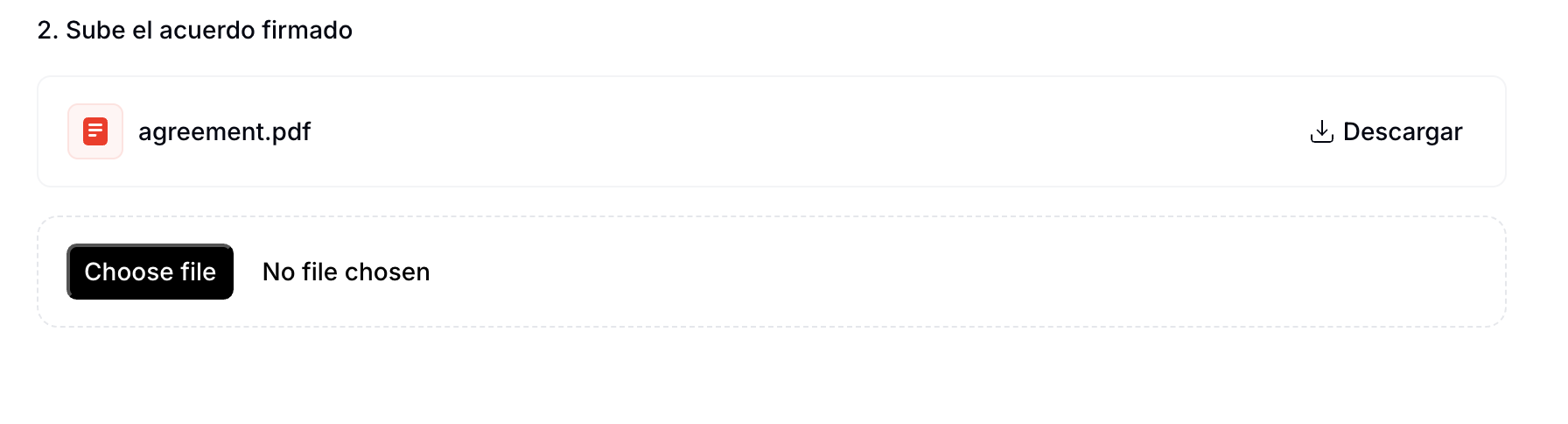
Overriding the previously submitted agreement
What is the minimum information required to register a supplier?
What is the minimum information required to register a supplier?
- Name
- NIF
- Address
- Full name
- Government ID type and number
- Address
What methods are available to sign the PDF supplier agreements?
What methods are available to sign the PDF supplier agreements?
What is the file size limit for the documents provided in the supplier registration flow?
What is the file size limit for the documents provided in the supplier registration flow?
How do I register a supplier with Facturae?
How do I register a supplier with Facturae?
What certificates does Facturae require to authenticate a supplier?
What certificates does Facturae require to authenticate a supplier?
How do I register a supplier with No-VERI*FACTU?
How do I register a supplier with No-VERI*FACTU?
How do I register a supplier with SII?
How do I register a supplier with SII?
What certificates does SII require to authenticate a supplier?
What certificates does SII require to authenticate a supplier?
How do I register a supplier with TicketBAI?
How do I register a supplier with TicketBAI?
What certificates does TicketBAI require to authenticate a supplier?
What certificates does TicketBAI require to authenticate a supplier?
How do I register a supplier with VERI*FACTU?
How do I register a supplier with VERI*FACTU?
Reporting questions
SIIHow often must I submit SII reports?
How often must I submit SII reports?
What format does SII expect for periodic reports?
What format does SII expect for periodic reports?
SuministroFactEmitidas), received (SuministroFactRecibidas), investment goods, and intra-EU operations. Each call carries up to 10,000 records signed with the issuer’s (or representative’s) certificate.