

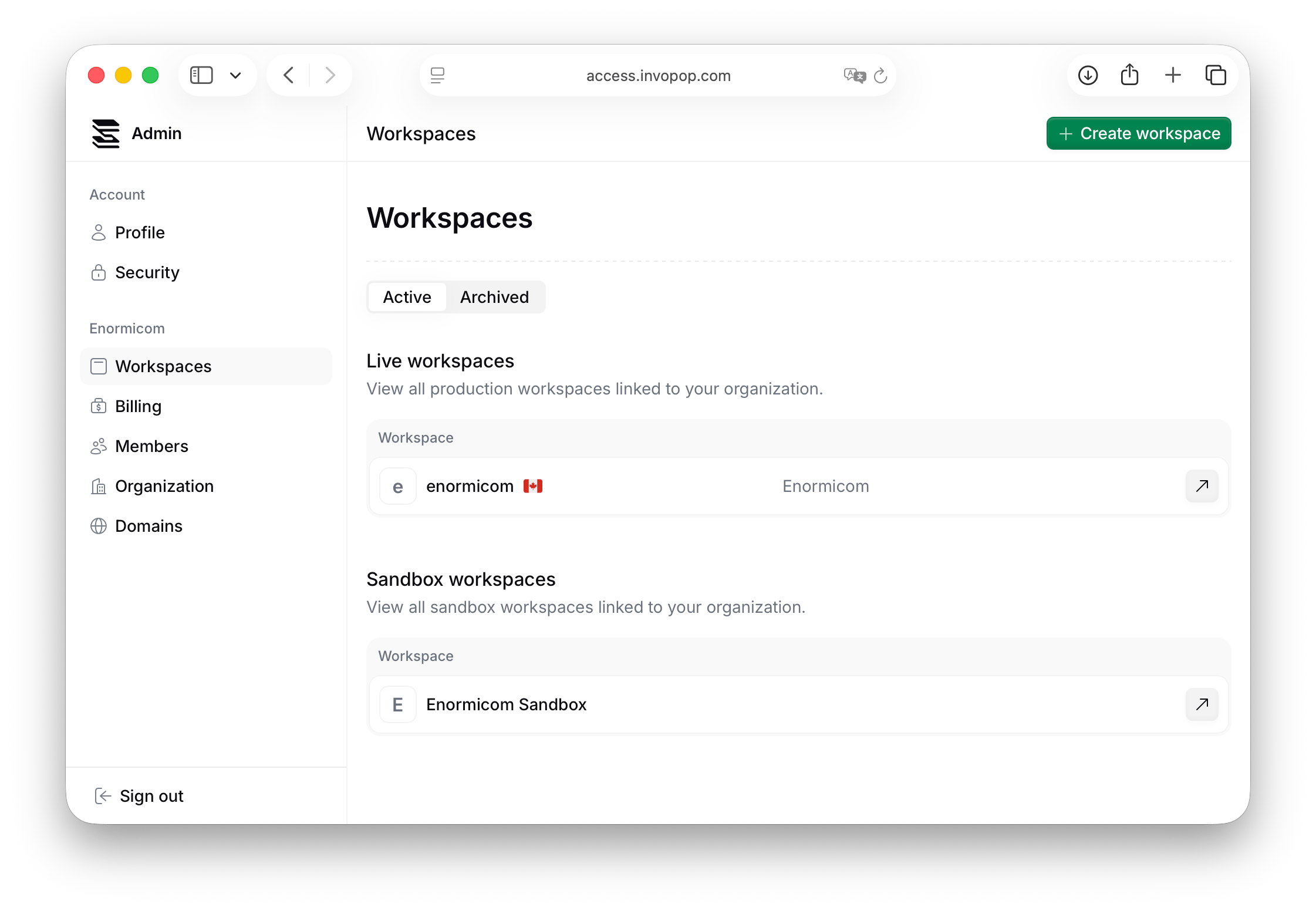
Create and configure a workspace
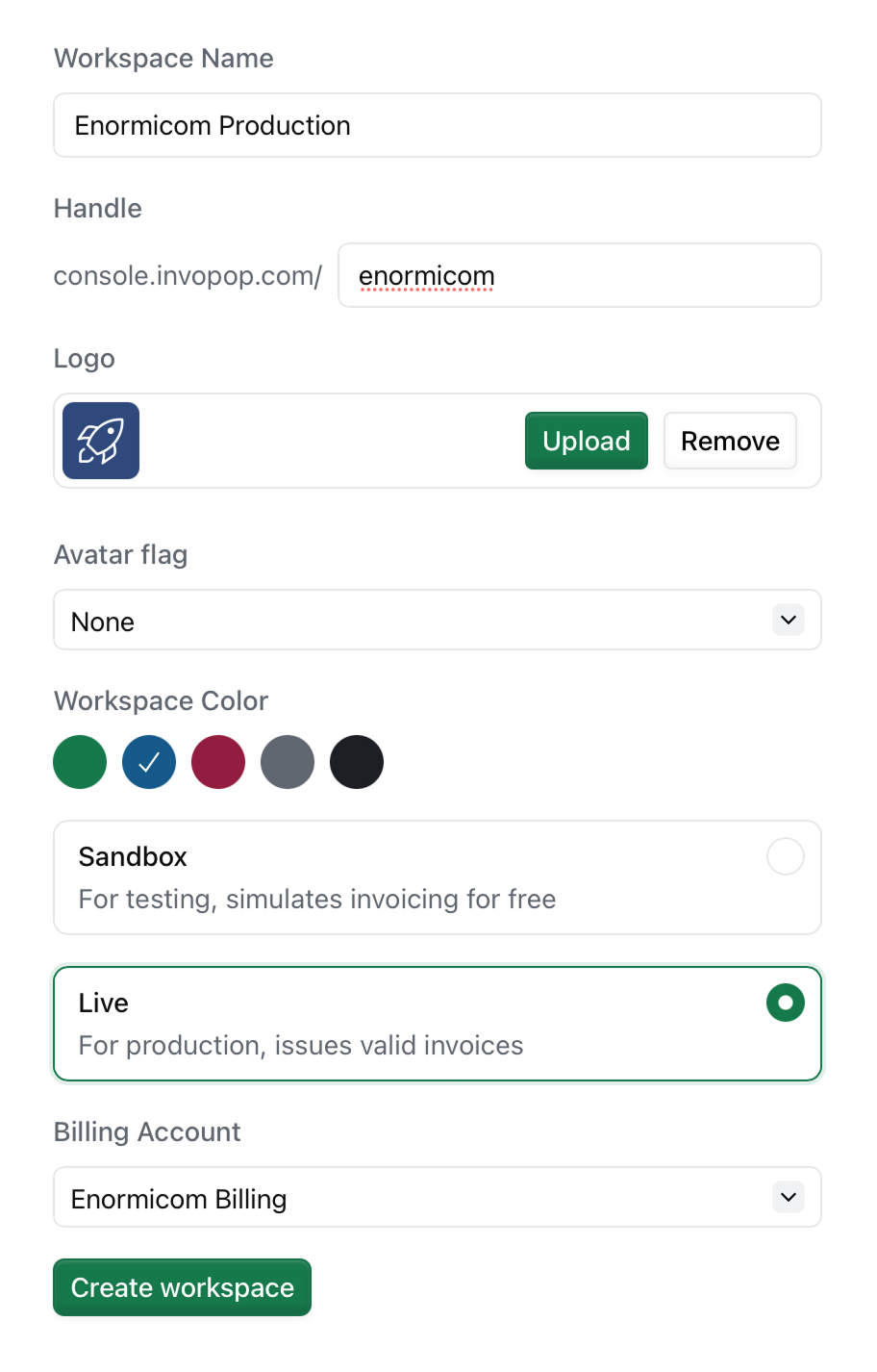
Workspace name
Enter a human-readable name for your workspace. This is often your company name or a descriptive label that identifies the workspace’s purpose e.g.,Enormicom ES-Live or Enormicom FR-Sandbox.
Handle
The handle determines the URL of your workspace and is used in API endpoints. It’s auto-generated from your workspace name, but you can customize it to your liking. Handles must be unique within Invopop and can only contain lowercase letters, numbers, and hyphens.Avatar flag
Avatar flags are visual indicators that help you distinguish workspaces belonging to specific regimes or countries. They appear in the workspace selector and don’t affect workspace behavior. Use flags to quickly identify workspaces when managing multiple countries or regions.Workspace color
Choose a color that changes the appearance of buttons and the sidebar in your workspace. Use different colors between sandbox and production environments to easily distinguish which environment you’re working in.Workspace type
Select either Sandbox or Live:- Sandbox: Test and simulate behavior without issuing real invoices. No billing account required.
- Live: Issue legally compliant invoices through tax authorities. Requires a billing account.
Billing account (Live workspaces only)
Select the billing account to associate with this workspace. Multi-country organizations often need to pay for invoicing locally, so you can have multiple billing accounts and assign different workspaces to different accounts.FAQ
Can I delete workspaces?
Can I delete workspaces?
No, workspaces cannot be deleted for traceability and compliance purposes. If you no longer need a workspace, you can archive it or simply stop using it.
Can I change a workspace from Sandbox to Live?
Can I change a workspace from Sandbox to Live?
No, workspace type cannot be changed after creation. Create a new live workspace and migrate your workflows, apps, and configurations. See From sandbox to live for a complete guide.
How many workspaces can I create?
How many workspaces can I create?
There is no limit on the number of workspaces you can create. Create as many as you need to organize your operations effectively.
Can I change the workspace handle after creation?
Can I change the workspace handle after creation?
You can change your handle (and thus the URL of your workspace) after creation. However, proceed with caution as this will break any links to your workspace.
Do I need a separate billing account for each workspace?
Do I need a separate billing account for each workspace?
No, you can assign multiple workspaces to the same billing account. However, multi-country organizations often use separate billing accounts for different regions to handle local payment requirements.