

Introduction
RO e-Factura is Romania’s mandatory national e-invoicing system, run by the Ministry of Finance and ANAF, the Romanian tax authority. Before you can send or receive invoices through RO e-Factura on behalf of a party (supplier), the party must authorize Invopop with ANAF. Authorization uses ANAF’s OAuth flow. Invopop generates a registration link, and a person with rights for the company in SPV (Spațiul Privat Virtual), ANAF’s online portal, opens it, accepts the terms and signs in on ANAF’s site with their qualified digital certificate. Certificates belong to people, not companies: ANAF grants the access that the certificate holder has in SPV. The certificate never leaves its owner: Invopop only receives the access ANAF grants, valid for one year.The party doesn’t need to register its own application with ANAF or provide a client ID and secret. Invopop connects through its own ANAF application, and the party only has to authorize it.
- Walk you through the process of creating the workflows necessary to register your own company and/or your customers’ parties (in a white label setup) using the Romania app,
- Explain how the certificate holder accepts the terms and authorizes Invopop on ANAF’s site, and
- Explain how to renew or revoke the authorization.
Prerequisites
To register a party with RO e-Factura, you will need:- The party’s Romanian tax ID (CIF), entered as the party’s
tax_idwith countryRO. - A qualified digital certificate of a person registered in SPV as legal representative, designated representative or authorized person (împuternicit) of the company, installed in the browser used to open the registration link.
- An active SPV enrolment for the company. If the certificate holder isn’t enrolled in SPV for the company yet, they must complete ANAF’s SPV registration first. ANAF can take several days to approve it.
- The Cron app, if you want to receive invoices. The registration workflow subscribes the party to the periodic sync of received invoices.
ANAF signs in with the same certificate in both environments, so even sandbox registrations need a real certificate with SPV access. Only the invoices are kept apart: in sandbox, they go to ANAF’s test environment.
Setup
All of the following steps must be carried out from the Invopop Console.1
Connect the Romania app
- Navigate to Configuration → Apps
- Find Romania in the app discovery list
- Click Connect to activate
2
Connect the Cron app
You can skip this step if you don’t plan to receive invoices.
- Navigate to Configuration → Apps
- Find Cron in the app discovery list
- Click Connect to activate
3
Configure the party registration workflow
This workflow registers a party with RO e-Factura, then subscribes it to the periodic sync of received invoices: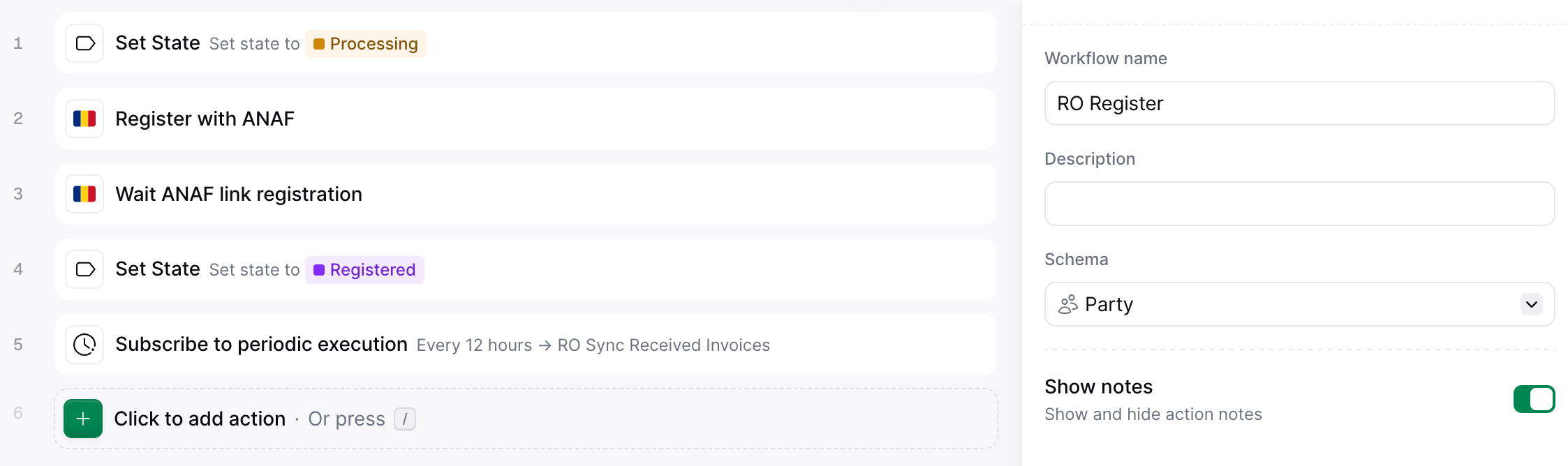
- Set state to Processing.
- Register with ANAF generates the registration link and stores it in the party’s Meta section.
- Wait ANAF link registration pauses the workflow until the certificate holder accepts the terms and completes the authorization.
- Set state to Registered.
- Subscribe to periodic execution subscribes the party to the sync workflow through the Cron app.
tax_id isn’t Romanian or ANAF turns the registration down, the job ends with a KO and the error branch runs Set state to Error. Fix the cause and run the workflow again: a party can be registered again at any time.The Subscribe to periodic execution step needs the RO sync received invoices workflow, created in the receiving invoices guide. Select it in the step, along with how often the sync should run.If you only want to send invoices, remove the Subscribe to periodic execution step. You don’t need the Cron app or the sync workflow then.
- Workflow
- Code
We will offer notifications before an ANAF authorization expires in the future. Until then, keep track of the one-year expiry and renew the authorization in time.
Register a supplier
1
Create the party
Use the Create an entry endpoint to upload a new party, setting the In the Console, click Build, ensure there are no errors, and click Save. The party appears with an
folder to suppliers so it appears in that section. Or, in the Invopop Console, navigate to Parties → Suppliers and click + New Supplier.Use the company’s Romanian CIF and address. The county goes in state as its ISO 3166-2:RO code (B for Bucharest) and, in Bucharest, the sector goes in locality:Romania supplier example
Empty state.2
Run the workflow
- Via API: send the party to the registration workflow with the Create a job endpoint, using the IDs of the silo entry and the RO register party workflow.
- Via Console: in the party entry, click Select Workflow, choose your RO register party workflow, and click Run Workflow.
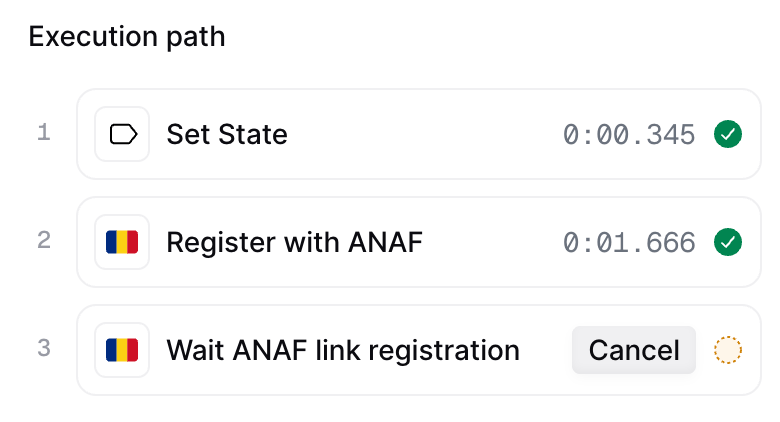
- To cancel the registration, cancel the job.
- To restart the registration, run the RO register party workflow again.
3
Get the registration link
- Your own company
- Third-party companies
In Console, go to the party entry → Meta tab → click the link entry to open the registration page.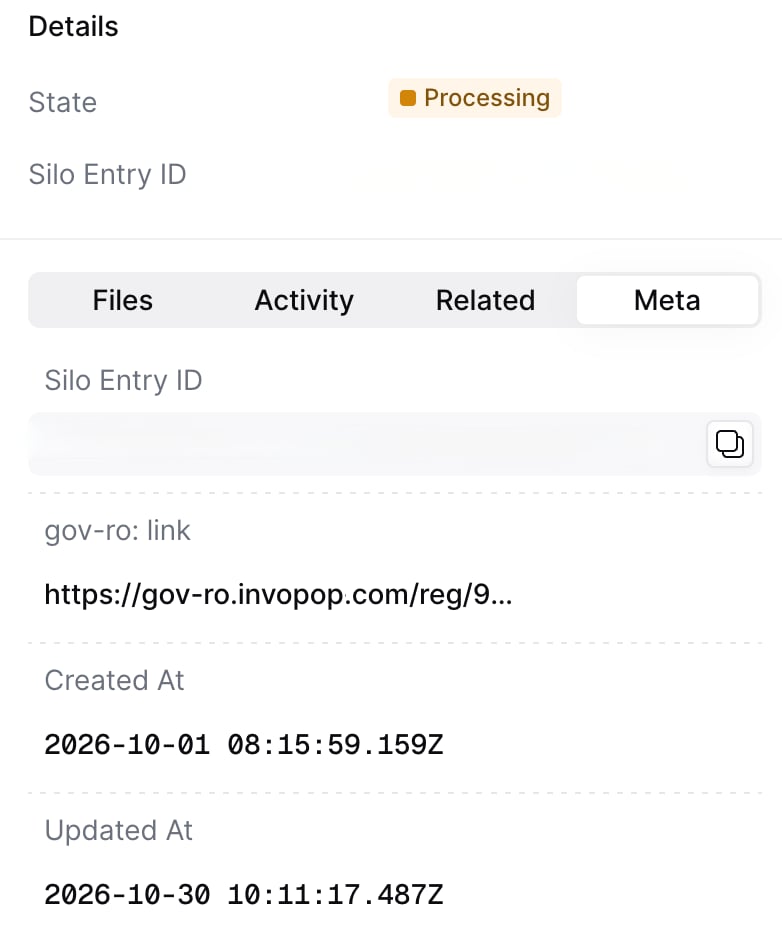
The link can be opened as many times as needed until the authorization succeeds, for example after choosing the wrong certificate.
4
Accept the terms
The certificate holder opens the link. Before connecting to ANAF, Invopop shows the terms of the connection: the company authorizes Invopop to connect it to the tax authority for invoicing, the person confirms they can act on its behalf, the company stays responsible for the data it provides, and Invopop may update the terms with prior notice.Tick I have read this information and authorize the connection and click Connect to ANAF. Setup guide opens this guide.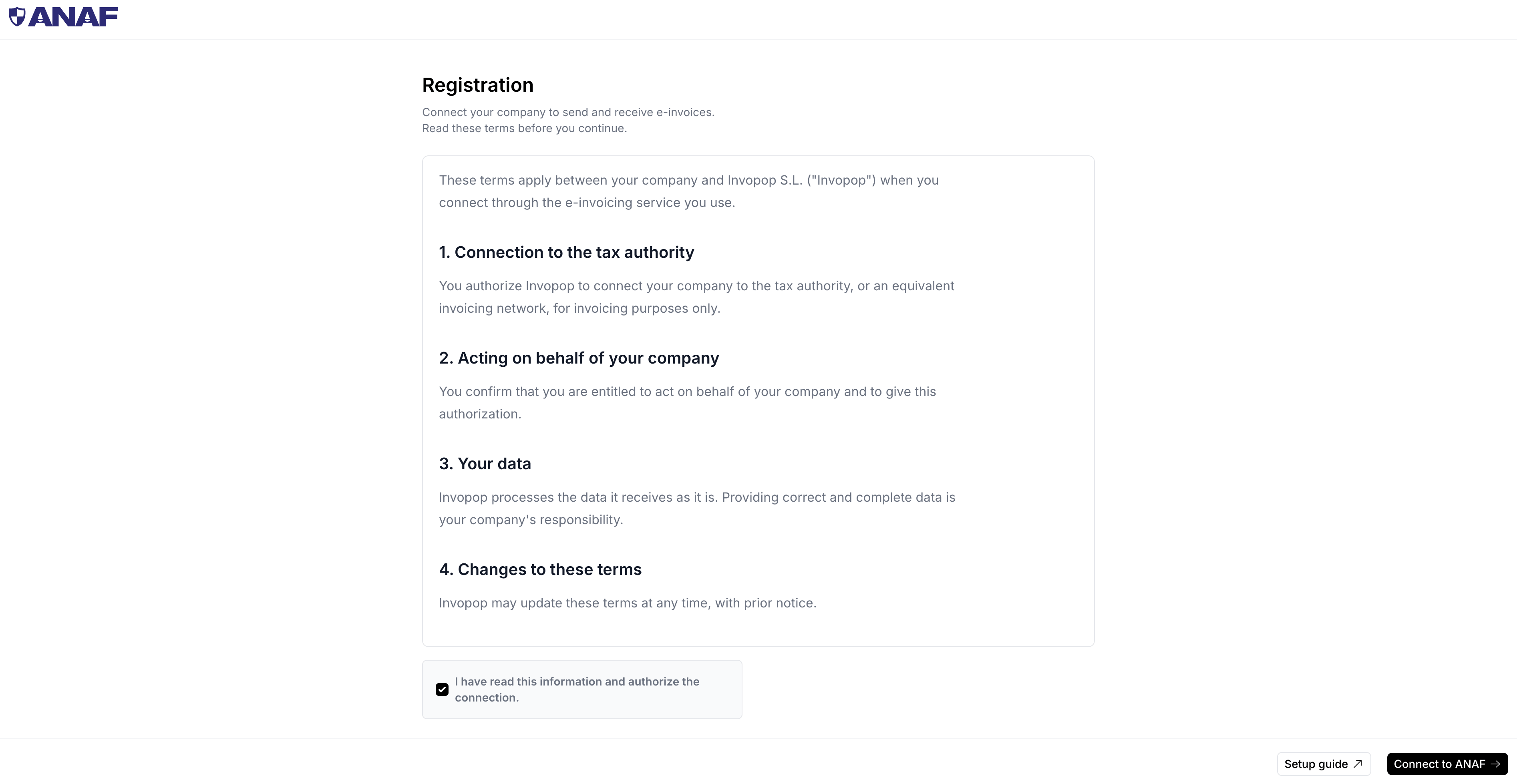
5
Authorize Invopop on ANAF's site
The certificate holder continues to ANAF in a browser where their digital certificate is installed:
-
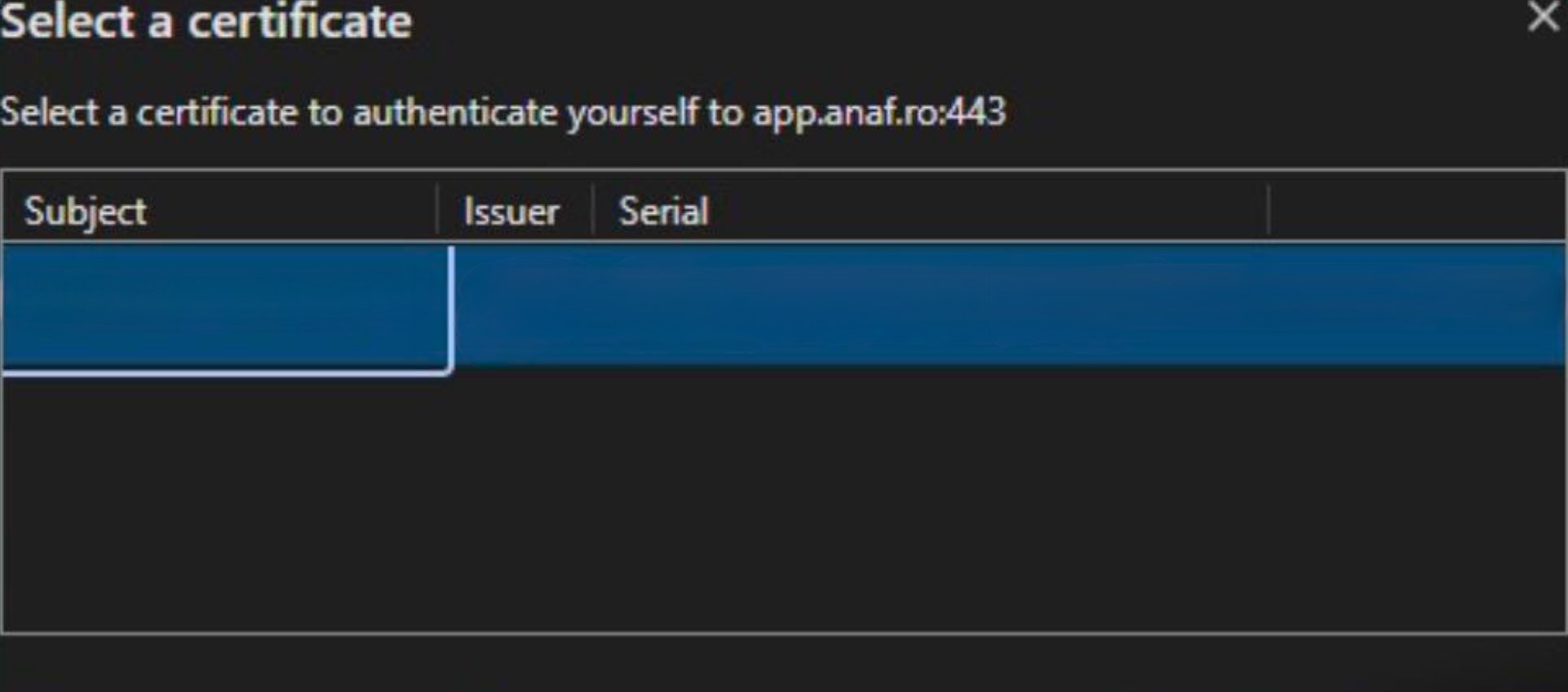
The browser asks which certificate to use. Choose the certificate registered in SPV for the company.
-
ANAF signs in with the certificate and sends the browser straight back to Invopop, which shows the result:
-
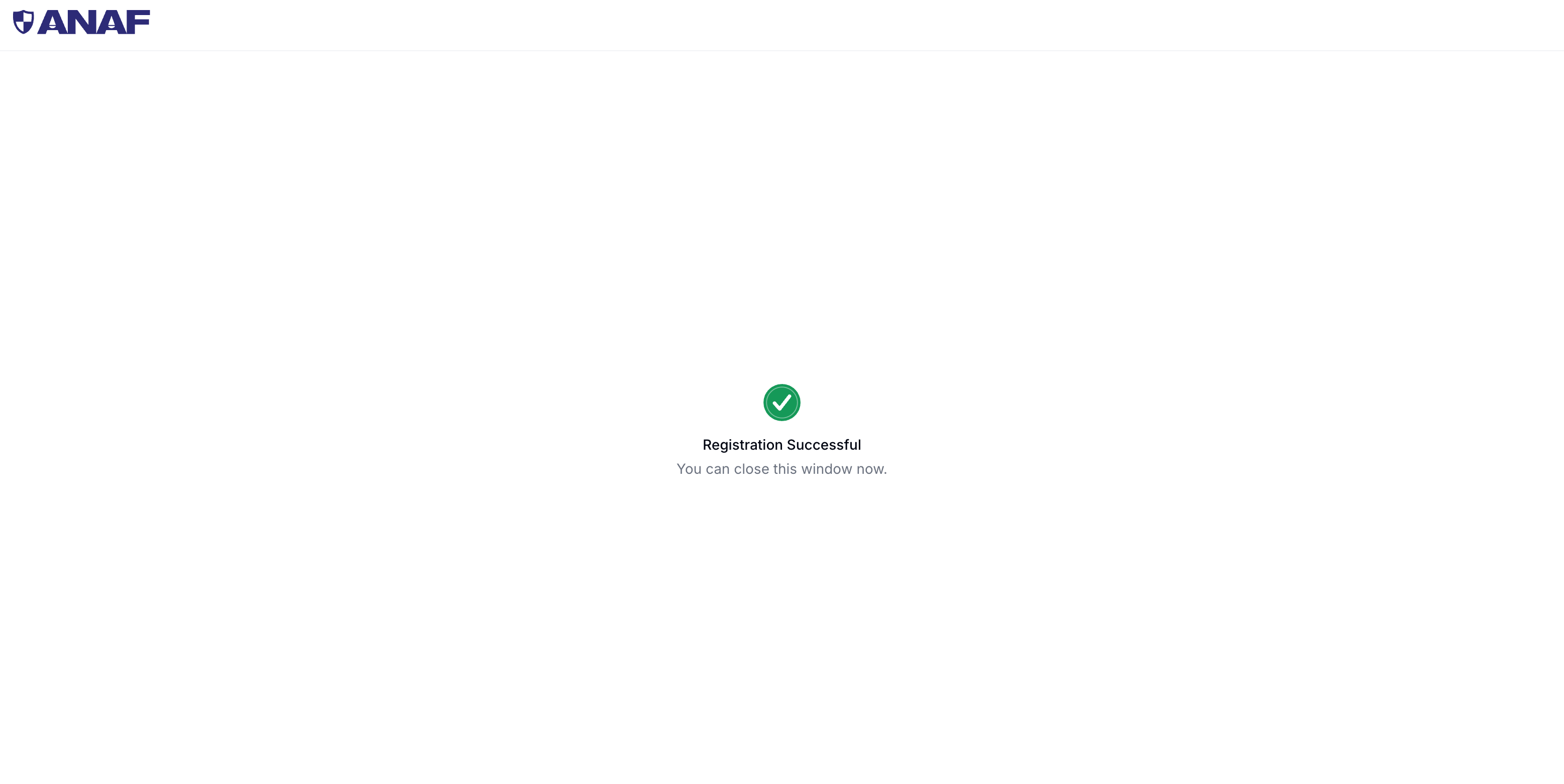
✓ Registration Successful: the window can be closed.
-
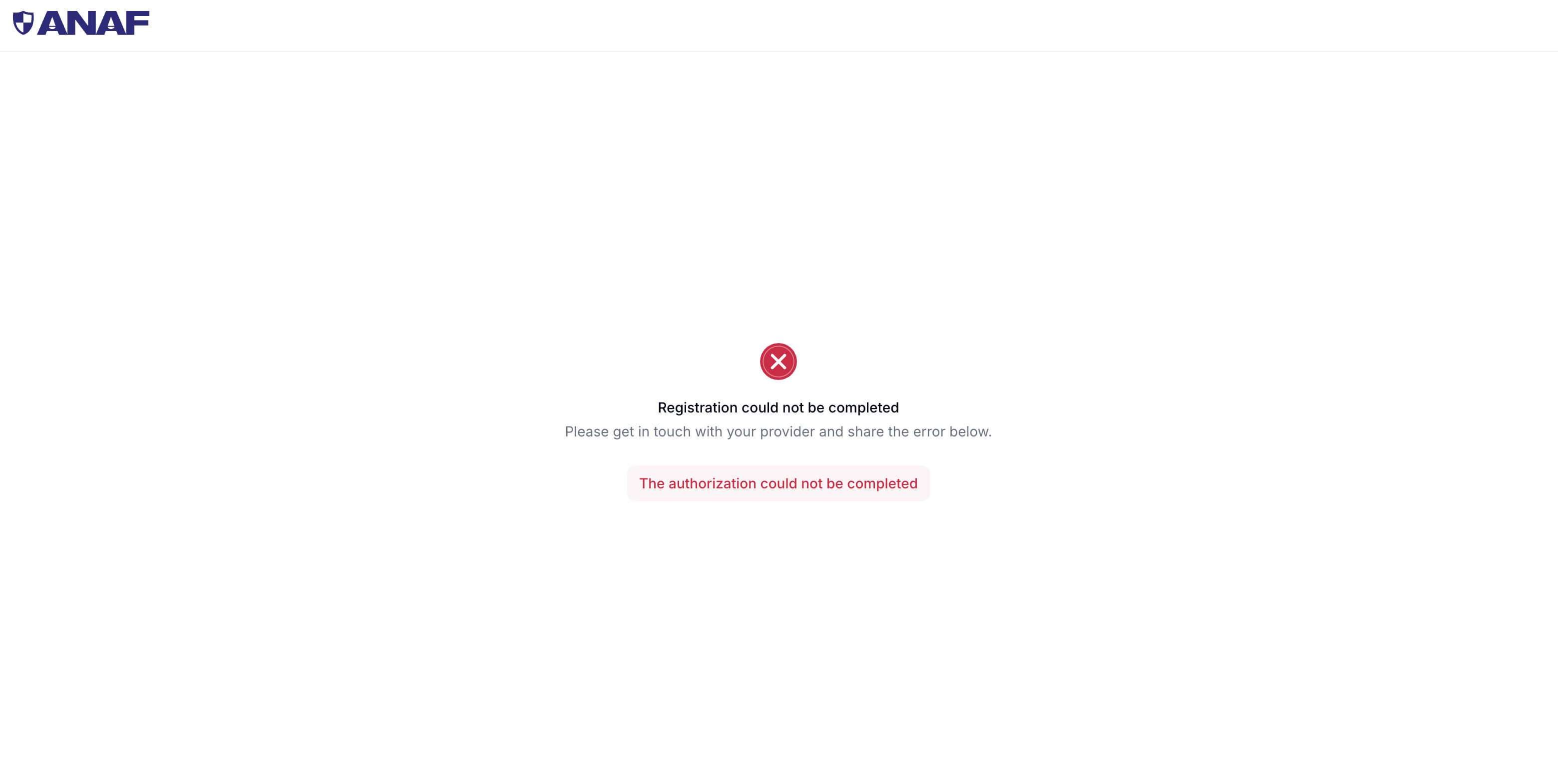
× Registration could not be completed: the page shows the error. Fix the cause and open the same link again.
-
✓ Registration Successful: the window can be closed.
6
Registration completes
Invopop stores the ANAF authorization and wakes the waiting job up. The registration link is removed from the party’s meta, the party moves to Registered and, if the workflow includes it, the party is subscribed to the periodic sync of received invoices.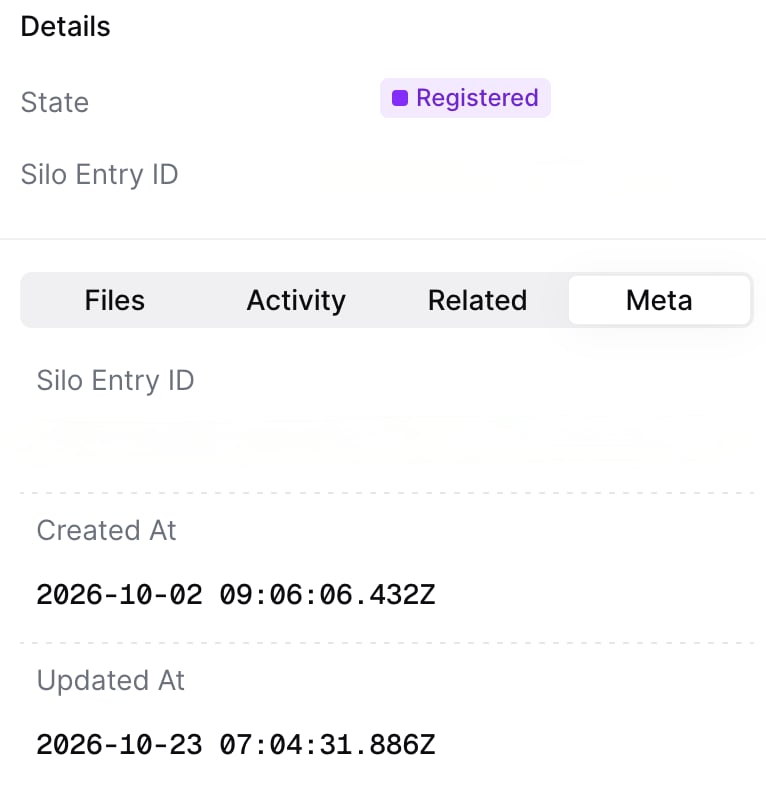
White label registration
If you register parties for your own customers (white label), you can show the terms in your own interface and send the certificate holder straight to ANAF. Call the endpoints in this order, with your workspace’s API token:1
Create the party
Store the supplier with the Create an Entry endpoint and keep its silo entry ID.
2
Run the registration workflow
Run the RO register party workflow on the party with the Create a Job endpoint. The Register with ANAF step prepares the registration and the job waits on Wait ANAF link registration.
3
Show the terms to your customer
Fetch the terms with Fetch terms and show them to your customer:The response is the terms as Markdown.
4
Record the acceptance
Once your customer accepts the terms, record it with Accept terms:The response carries the ANAF link and the acceptance time:Invopop records the acceptance together with the exact terms accepted.
5
Send the ANAF link
Send the
link to the certificate holder, who signs in on ANAF’s site with their certificate. To fetch the link again later, use Fetch ANAF link.6
Wait for the registration
The job continues once the authorization succeeds, and the party moves to Registered. Add a webhook step at the end of the workflow, or fetch the job, to know when it is done.
The
/terms endpoints answer 409 if the Register with ANAF step hasn’t run for the party, and the link endpoint answers 409 until the terms are accepted.Renew the authorization
ANAF authorizations last one year. To renew one, run the RO register party workflow again on the same party entry and complete the authorization with the certificate. The party keeps its history and received invoices continue from where they stopped. Terms already accepted carry over, so the link goes straight to ANAF unless the terms have changed since.Notifications before an authorization expires are in development and will soon be supported through the app configuration.
Unregister a supplier
Unregistering a party revokes Invopop’s access to ANAF on its behalf. You might need to do so because the party is no longer your customer or because of a change in their CIF. The following workflow unregisters the party from RO e-Factura, removes the ANAF credentials stored in Invopop and stops the periodic sync:- Workflow
- Code
Legal information
RO e-Factura connection terms
RO e-Factura connection terms
Before authorizing Invopop on ANAF’s site, the certificate holder accepts the terms of the connection on the registration page: the company authorizes Invopop to connect it to the tax authority for invoicing, the person confirms they can act on its behalf, the company stays responsible for the data it provides, and Invopop may update the terms with prior notice.Invopop records the acceptance together with the exact terms accepted and when. The terms are accepted on every registration, including a renewal. To read them before registering, or to show them in your own interface, use the Fetch terms endpoint once the Register with ANAF step has run.
FAQ
What does a party need to register with RO e-Factura?
What does a party need to register with RO e-Factura?
A Romanian tax ID (CIF) and a qualified digital certificate of a person with access to the company’s SPV (Spațiul Privat Virtual) as legal representative or authorized person. The certificate holder opens the registration link, accepts the terms and authorizes Invopop on ANAF’s site. Invopop never sees or stores the certificate.
Can one person register several companies?
Can one person register several companies?
Yes. An accountant or representative with SPV rights for several companies can use the same certificate for all of them, but each company is a separate party in Invopop. Run the registration workflow and complete the authorization once per party.
Where do I find the registration link?
Where do I find the registration link?
After the Register with ANAF step runs, the link is stored in the Meta section of the party entry under the
link key. It opens the terms first and then continues to ANAF. The workflow waits on the Wait ANAF link registration step until the certificate holder completes the authorization, and the link is removed once the party is registered.Can I show the terms in my own interface?
Can I show the terms in my own interface?
Yes. If you register parties for your own customers, fetch the terms with
GET /apps/gov-ro/v1/entry/{silo_entry_id}/terms, show them in your own interface and record your customer’s acceptance with POST on the same path. The response carries the ANAF link to send to the certificate holder. See the white label registration flow.Where is the acceptance of the terms stored?
Where is the acceptance of the terms stored?
Invopop records the acceptance together with the exact terms accepted and when, whether they were accepted on the registration page or through the API. Nothing is stored on the party entry. The terms are accepted on every registration, including a renewal.
Why did my party registration fail?
Why did my party registration fail?
Common reasons:
- Wrong certificate: the certificate chosen in the browser does not belong to a person with SPV rights for the company’s CIF.
- SPV rights missing: the certificate holder is not registered in SPV as legal representative or authorized person of the company.
- Party not Romanian: the party’s
tax_idcountry must beRO. - Terms not accepted: the ANAF authorization only goes through once the terms have been accepted.
- Registration expired: the terms of a registration can only be accepted while it is open. One left unaccepted for 32 days shows
registration expired, register the party again: run the registration workflow again and use the new link.
The page shown at the end of the authorization tells whether it succeeded, and shows the error otherwise. The workflow error logs in the Invopop Console have more detail.
Can I test with the sandbox?
Can I test with the sandbox?
Yes. In an Invopop sandbox workspace, every call goes to ANAF’s test environment, so invoices sent there have no fiscal value. The registration still uses a real digital certificate, since ANAF authenticates the same way in both environments.
How do I stop sending and receiving for a party?
How do I stop sending and receiving for a party?
Run the RO unregister party workflow on the party. It removes the ANAF authorization from Invopop and unsubscribes the party from periodic sync. To receive again, run the registration workflow again.
🇷🇴 Invopop resources for Romania
🇷🇴 Invopop resources for Romania


Participate in our community
Ask and answer questions about invoicing in Romania →