

Introduction
Verifying that a party is registered in the French Annuaire before issuing or receiving an invoice reduces rejections and lets you branch regulated vs. non-regulated flows correctly. This guide shows how to query the PPF Annuaire so you can:- Verify that a SIREN is registered as a sender or receiver in the Annuaire.
- Resolve the electronic address used to route invoices to a given party.
- Branch invoice and party workflows between regulated e-invoicing and the e-reporting flow.
Prerequisites
- A live workspace (in Sandbox, API Lookup will error with
403 Forbiddenwhile workflows return OK for any valid SIREN). - Within Console, make sure you have connected the France app.
Console support
Add the Lookup in Directory step to yourinvoice, party or status workflows.
In the send document workflow, the step can be configured to lookup suppliers and customers. The job will fail if no matching entry is found, and you can handle the exception any way you want (usually routing to non-regulated flow).
When a match is found, the step writes the resolved routing details back onto the looked-up party (supplier or customer for invoices and payments, or the root party for standalone party documents):
- The
0225electronic address is added to the party’sinboxes, so downstream steps can route the document without repeating the lookup. - If the SIREN was derived from the party’s French VAT tax ID or SIRET rather than supplied as an explicit identity, it is also added as a SIREN identity on the party. Existing identities (including SIRET) are preserved.
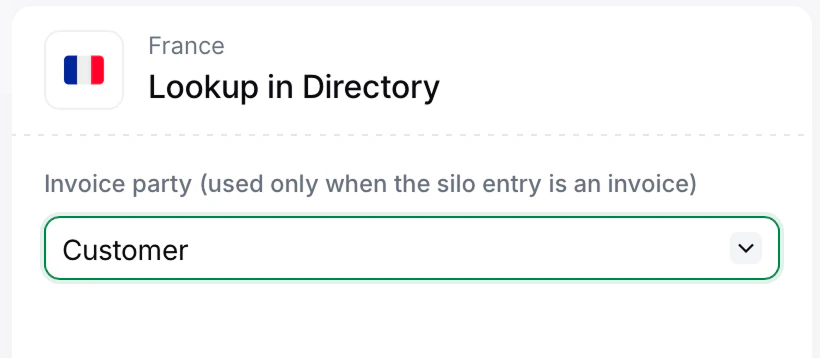
Configure the Lookup in Directory step for invoices
API support
Look up by SIREN
Use this endpoint when you have the French legal identifier of a company and want to know whether it is reachable through the Annuaire. A SIREN may have multiple entries (one per registered SIRET / suffix / routing code), so the response is always a list. An emptyresults array means the SIREN is not currently registered in the Annuaire.
The following outcomes are possible:
French overseas territories that sit outside the French VAT zone (Guyane, Mayotte, New Caledonia and French Polynesia) are treated as foreign zones for the e-invoicing reform.Annuaire lookup returns no result even when they carry a French SIREN, so their transactions are always routed to e-reporting.
Look up by electronic address
Use this endpoint when you already have the electronic address (the value used to route invoices in France, typically inscheme:value form) and want to confirm it resolves to a registered entry. This is useful when a counterparty supplies their routing identifier directly rather than just a SIREN.
The behaviour mirrors the SIREN lookup:
- Identifier is registered: returns the matching entry.
- Identifier is unknown: returns an empty list. The address cannot be used as a Peppol routing target for regulated flows.
Using lookups in workflows
The typical pattern is to call the lookup endpoint from your own systems before triggering an invoice workflow, and then choose which workflow to fire:- Both parties registered → run the PA send invoice workflow, which transmits over Peppol and forwards the F1 copy to the PPF.
- One or both parties unregistered → run the e-reporting recording workflow so the transaction is reported to the PPF on the next periodic submission.
🇫🇷 Invopop resources for France
🇫🇷 Invopop resources for France
| Compliance | Invoicing compliance in France Compliance timeline |
| Apps | France Peppol Chorus Pro France |
| Guides | Chorus Pro — Supplier registration · Issuing invoices PA Guide — Registration · Invoicing · Status · Reporting |
| FAQ | France FAQ |
| GOBL | France Tax Regime Chorus Pro Addon French Factur-X Addon |
| GitHub | gobl.xinvoice |



France FAQ
Find answers to frequently asked questions about invoicing in France →
Participate in our community
Ask and answer questions about invoicing in France →